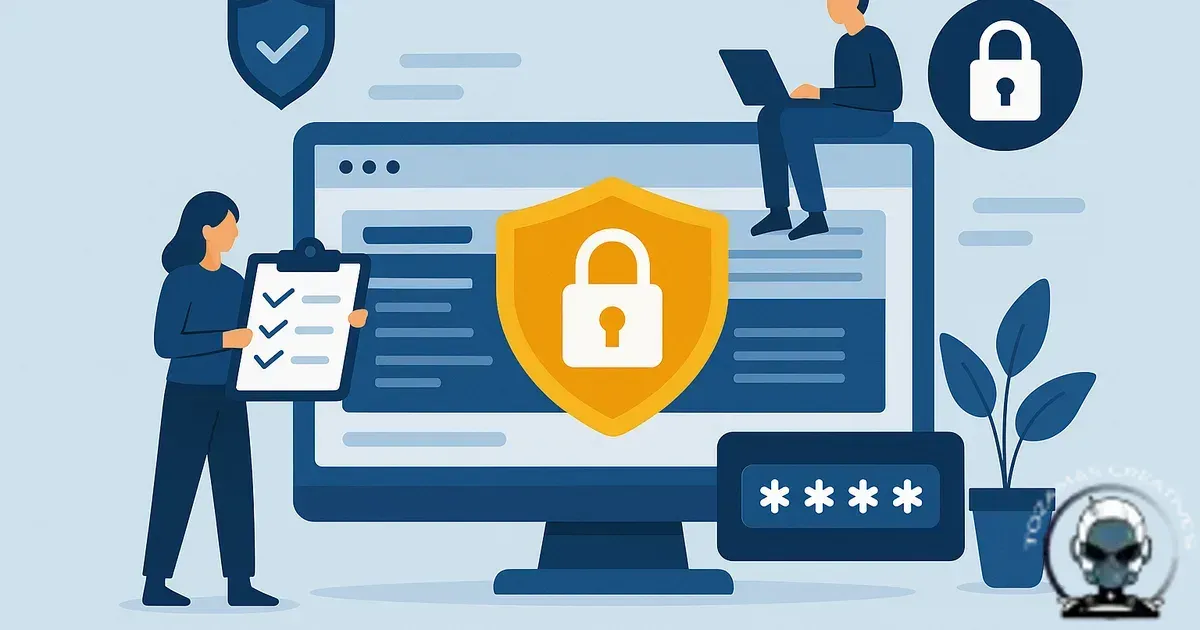
Security is maintenance, not a one off project
A website security checklist for small business owners only helps if it matches how you actually operate. Most sites don’t get compromised because the owner is reckless. They get compromised because updates drift, logins sprawl, plugins accumulate, and the early warning signs are easy to miss, right up until Google stops citing the domain or a customer forwards a screenshot.
The goal isn’t to build a fortress. It’s to build a stable foundation with technical integrity, then maintain it on a cadence you can realistically keep. That’s what protects revenue, brand trust, and your discoverability when systems decide whether to cite you or steer around you.
1) Lock down identity and access first (because everything else depends on it)
Most small business incidents start with authentication, not movie style exploits. Tighten access control and you remove a big chunk of real world risk.
Enforce MFA on every account that can publish, install, or change DNS. That includes your CMS admin users, hosting control panel, registrar, email, and anything connected to payments. If your MFA is SMS-only, treat it as “better than nothing”, not “finished”. App-based MFA or hardware keys are the more defensible option.
Then do the clean up that actually moves the needle. Remove old staff accounts, agencies you no longer use, and shared logins. If you’ve got a generic “admin” user, rename it and rotate credentials. Use role-based access so your content team can’t install plugins, and your marketing team can’t touch server settings.
Where businesses get caught is the “it’s just one login” logic. One login turns into five tools, a password gets reused, and suddenly it’s sitting in a breach list. If you want a clearer definition of what counts as security (beyond firewalls and fear-based advice), read what website security actually means for small businesses.
2) Patch management: update like you mean it
Updates feel boring right up until they become urgent. The most common compromise patterns we end up cleaning are old CMS cores, abandoned plugins, and themes that haven’t been maintained in years. Attackers don’t need creativity when there’s a public CVE and a long list of sites that haven’t patched.
Set a schedule you can stick to. Weekly is achievable for most small businesses; daily is sensible if you run high traffic ecommerce or you’ve got a large plugin surface area. The exact timing matters less than consistency. If you only update when something breaks, you’re already behind.
Protect uptime by using a staging environment and a rollback plan. That’s the line between “we maintain security” and “we don’t touch anything because it might break tracking”. You can have security and marketing instrumentation, but you need process.
Keep your plugin and extension inventory lean. If you’re not using it, remove it. If it duplicates another tool, remove it. If it’s not maintained, replace it. Complexity is where technical integrity goes to die.
3) Backups that are testable, restorable, and not sitting on the same server
A backup you’ve never restored is a comforting idea, not a recovery plan. You want automated backups, stored off-site, with retention that matches your risk. Daily suits most small businesses. Go more frequent if orders, bookings, or user-generated content change throughout the day.
Capture both files and database. Include configuration where possible. Encrypt backups at rest. Lock down access to the backup store with MFA and least privilege, because attackers look for backups now.
Then prove you can restore. Not once a year. Test after major updates, after migrations, and at least quarterly as a habit. Time the restore. Document the steps. If recovery depends on the one person who “knows the server”, that’s not resilience, it’s a single point of failure.
4) Hosting and server hardening (where the boring settings do the heavy lifting)
Most small businesses don’t need a bespoke server build. They do need sane defaults. If your host can’t clearly explain isolation, patching responsibility, and incident response, they’re selling space, not infrastructure.
Protect trust and data in transit by running TLS properly and enforcing HTTPS site wide. Use HSTS where appropriate. Disable insecure protocols. If you’re on WordPress, disable file editing in the admin and make sure the web user can’t write to places it shouldn’t. If you’re on a VPS, lock SSH to keys, restrict IPs, and don’t expose admin panels to the public internet without protection.
Use a WAF at the edge if your threat profile warrants it, but keep it in its place. A WAF buys time and reduces noise. It doesn’t patch vulnerable code.
5) Application-layer hygiene: forms, uploads, and third party scripts
Reduce low-effort abuse by treating forms and uploads as high friction entry points. Rate limit forms, validate server side, and make sure form plugins aren’t storing sensitive data you don’t need. If you accept uploads, restrict file types, scan uploads, and store them outside executable paths.
Keep your attack surface predictable by controlling third party scripts. Marketing pixels, chat widgets, booking tools, and A/B testing scripts can expand risk and slow the site at the same time. Maintain a register of what’s installed, why it exists, and who owns it. If a vendor goes quiet or you stop using the tool, remove the script. That’s algorithmic alignment as well: fewer random scripts usually means cleaner performance signals and fewer surprises.
Maintenance cadence is a security control
Patching only works when it’s tied to a repeatable cadence, because most breaches are just maintenance debt finally collecting interest. If your update rhythm is ad hoc, your security posture becomes unpredictable and that’s when uptime drops, conversions wobble, and discoverability gets hit when systems stop issuing citations.
If you want a schedule that protects technical integrity without turning maintenance into a weekly fire drill, we break it down in How Often Should a Business Website Be Maintained? A Practical Schedule That Prevents Downtime.
When a checklist stops being enough
A checklist gets you to baseline, but it won’t hold your security infrastructure together when something goes wrong. The gaps show up in the handoffs: who monitors logs, who validates backups, who patches on time, and who contains an incident before it dents revenue, customer trust, and your discoverability when platforms decide whether to keep issuing citations.
If you’re weighing whether to own that operational load or outsource it, the trade offs are technical, not philosophical. We break down what actually holds up under pressure in Managed Website Security vs DIY Protection: What Actually Holds Up Under Pressure, including where DIY usually drops technical integrity without anyone noticing.
6) Logging, monitoring, and alerting (so you’re not finding out weeks later)
Small businesses often skip monitoring because it sounds “enterprise”. Then a compromise sits quietly redirecting traffic, injecting spam pages, or skimming checkout data.
At minimum, you want uptime monitoring, SSL expiry alerts, and change detection for core files. On CMS platforms, enable security logs for logins, plugin installs, and privilege changes. On servers, centralise logs if you can, or at least retain them long enough to investigate properly when something goes wrong.
Make alerts land in a shared inbox or ticketing system, not one person’s email. Incidents don’t pause for annual leave.
7) Database and admin surface reduction
Reduce what attackers can see and probe. Hide or restrict admin URLs where practical, limit login attempts, and block known-bad bots. Don’t expose database management tools publicly. If you must use them, IP restrict and protect them behind MFA or a VPN.
Rotate salts and keys where your platform supports it. Disable XML-RPC if you don’t need it. Lock down REST endpoints if they expose sensitive data. These aren’t headline features, but they’re the settings that stop nuisance traffic turning into real incidents.
8) DNS and email: the forgotten control plane
Protect your control plane by treating DNS like production infrastructure, not “set and forget”. If someone gets into your domain registrar, they can redirect your website, intercept email, and erode customer trust quickly.
Use a reputable registrar. Turn on registrar lock. Enforce MFA. Audit who has access. Keep contact details current so you don’t lose control during verification.
For email, publish SPF, DKIM, and DMARC. This is brand protection as much as security: it reduces spoofing and improves the likelihood your real emails land where they should. If you send invoices, quotes, or booking confirmations, this matters.
9) Payment and ecommerce: segment the risk
Reduce liability by keeping card data off your server wherever possible. Prefer hosted payment pages or well maintained gateways. If you’re running a full ecommerce stack, update aggressively and treat checkout customisations as high risk code.
Limit who can access order data. Set up alerts for new admin users, plugin changes, and theme edits. If you can’t explain how your checkout is protected, you’re relying on luck, not infrastructure.
10) Put it on a cadence: weekly, monthly, quarterly
Maintenance fails when it’s vague. Make it operational by tying it to a rhythm. Weekly is for updates, plugin reviews, and quick log checks. Monthly is for reviewing user access, third-party scripts, and backup restore drills. Quarterly is for deeper audits, rotating keys where appropriate, and reviewing hosting and DNS access.
If you want a security process that doesn’t break your analytics, ads, and funnels every time you tighten something, we’ve written a practical guide on securing a business website without breaking your marketing stack.
Security and growth aren’t separate systems
When a site is compromised, the damage isn’t limited to clean up costs. You lose trust signals, you lose data integrity, and you often lose discoverability because systems don’t cite unstable brands. Security is growth infrastructure, not an IT side quest.
Good security also makes your site easier to run. Fewer unnecessary plugins. Cleaner change control. Clear ownership. That operational discipline tends to show up elsewhere too, like stronger conversion pathways and fewer broken journeys. If you’re tightening security and also want to remove friction from the customer journey, conversion pathways is a solid next read.
A quick-start checklist you can copy into your task manager
- Turn on MFA for CMS, hosting, registrar, email, and payment tools.
- Remove unused users, agencies, and shared logins. Apply least privilege roles.
- Set a weekly update window. Use staging and a rollback plan.
- Delete unused plugins/extensions. Replace abandoned ones.
- Automate daily off-site backups. Test restores quarterly (minimum).
- Enforce HTTPS and keep TLS certificates on auto-renew with alerts.
- Restrict admin surfaces, limit login attempts, and block obvious bot traffic.
- Harden forms and uploads with validation, rate limits, and file controls.
- Set up uptime, SSL expiry, and security event alerts to a shared channel.
- Lock down DNS and registrar access. Publish SPF/DKIM/DMARC.
If you can only do three things this week, do MFA, updates, and backups. That combination prevents most small business incidents from turning into expensive, time consuming clean ups.
Sources & Further Reading

Need a security baseline you can maintain?
We can audit, harden, and manage your website security so it stays stable without breaking your marketing stack.
Get in TouchComments
No comments yet. Be the first to join the conversation!


Leave a Comment
Your email address will not be published. Required fields are marked *