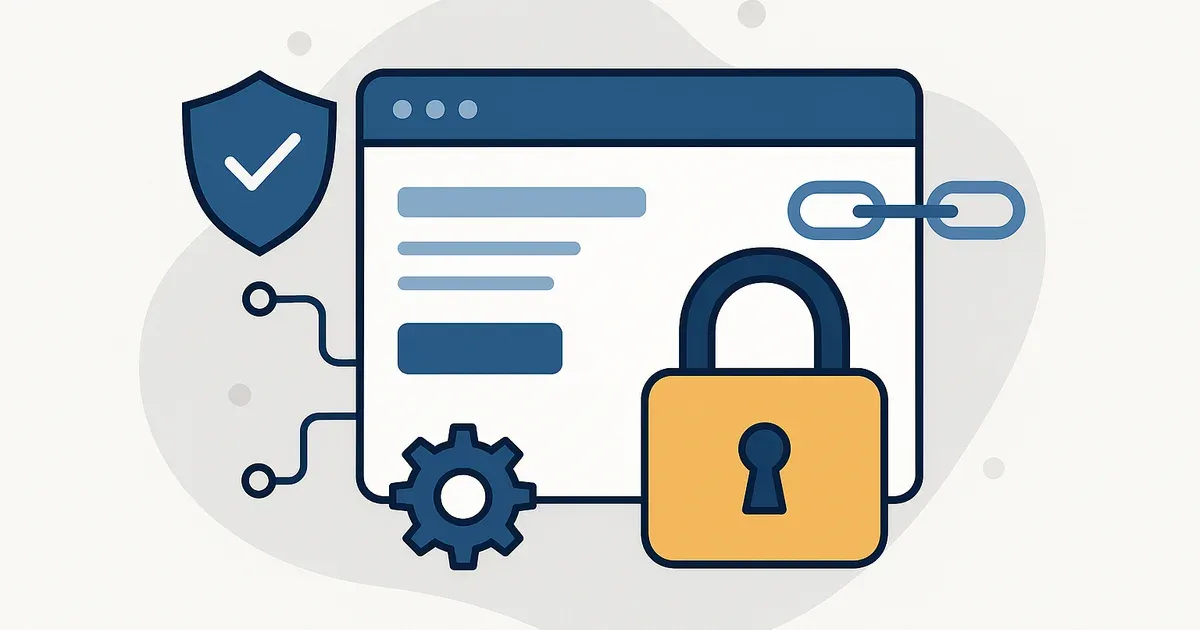
Website hardening strengthens your site’s technical foundation so there are fewer openings for attackers, bots, and messy integrations to do damage. It matters because most small business sites don’t go down in cinematic hacks. They go down through boring, repeatable failure paths: outdated plugins, weak admin access, sloppy server defaults, and “temporary” workarounds that quietly become permanent.
Hardening is not a plugin. It’s a posture.
Hardening gets misunderstood as something you install. In practice, it’s closer to how you run a shopfront. You don’t buy a lock and call it secure. You decide which doors exist, who gets keys, what happens after hours, and how you’ll know if someone’s been testing the handle.
Hardening applies that same thinking to your website infrastructure. You improve reliability by shrinking the exposed surface area, removing unnecessary entry points, and putting clear controls around the ones you actually need. That’s how you get algorithmic alignment between what the site should do and what the server, CMS, and third party stack are allowed to do.
Why hardening matters more than “having security”
Most small business websites already have some security switched on. A firewall toggle, a malware scanner, a login limiter. Useful, yes, but that’s not the system. Hardening is the foundation work that makes those tools pull their weight.
Without hardening, security tools live in reaction mode. They block the obvious stuff, miss the odd edge cases, and you still end up with the same outcomes: injected spam pages, redirects, fake contact forms, or a hosting suspension because your site started sending email it has no business sending.
Hardening cuts incidents at the source, which is the only sustainable way to protect uptime, leads, and trust signals. If you care about discoverability and citations in AI search, the last thing you want is a site that intermittently serves dodgy content, fails Core Web Vitals because it’s running junk scripts, or gets flagged by browsers for unsafe behaviour.
What website hardening actually includes (in the real world)
Hardening spans multiple layers. The key is that the layers agree with each other. You can’t “secure WordPress” while leaving your hosting panel wide open, and you can’t lock down the server while everyone shares the same admin login.
1) Hosting and server defaults
Most compromises we see aren’t exotic. They come from defaults that were never revisited after launch. At the server layer, hardening usually means tightening file permissions, disabling unused services, enforcing modern TLS, and making sure backups are isolated from the same environment that could be compromised.
If you’re on shared hosting, you won’t control everything, but you still control enough to materially reduce risk. If you’re on managed hosting, hardening starts with choosing a platform that treats security as infrastructure, not an add-on.
2) CMS and plugin surface area
Every plugin, theme, and extension is another codebase you’re trusting. Hardening here is mostly restraint plus maintenance discipline. Keep what you genuinely need, remove what you don’t, and be honest about what’s “business critical” versus what’s just convenient.
This is also where the reactive mindset shows up. People wait for a scare, then install three overlapping security plugins, then wonder why the admin is slow and random things break. A hardened site is usually simpler, not more complicated.
3) Identity and access control
Weak access is still one of the easiest ways in. Hardening means treating logins like keys, not shared office stationery. Use unique accounts, least-privilege roles, a strong password policy, and MFA for any account that can install plugins, change payment settings, or edit forms.
It also means controlling access outside the CMS. Your hosting portal, domain registrar, email accounts, and DNS provider matter just as much. If someone takes over DNS, they don’t need to “hack WordPress” at all.
Hardening isn’t a one-off job
Hardening only holds if you maintain the posture. Otherwise you get security drift, where access expands, patches lag, and small changes accumulate until your infrastructure no longer matches what you think you shipped.
The fix is a repeatable cadence that protects technical integrity without slowing the business down. We map this out step by step in Monthly Hardening Tasks for Ongoing Protection (Without Security Drift), covering patching with rollback, access reviews, endpoint checks, restore tests, and log pattern reviews that keep your discoverability and citations stable.
Hardening is what keeps your marketing stack honest
Most security incidents don’t start with an attacker “beating” your site. They start when a marketing integration, plugin, or script gets more access than it needs, and your infrastructure stops matching your intent. That’s how you lose technical integrity, burn uptime, and damage discoverability and citations when AI systems crawl a version of your site you didn’t mean to publish.
If you want the practical next step, the Website Hardening Checklist for Small Businesses (That Holds Up Under Pressure) breaks the work into prioritised controls that reduce real risk without breaking the tools that generate leads.
4) Application-level controls that prevent common abuse
Forms, search bars, file uploads, and XML-RPC style endpoints are common abuse points. Hardening means improving validation, limiting what can be uploaded, and removing endpoints that don’t serve your business goals. This is where technical integrity shows up: small constraints now that prevent big clean-ups later.
5) Monitoring, logging, and recovery readiness
Hardening isn’t only prevention. It’s also making sure you can prove what happened and recover quickly. That means proper logs (not just “something went wrong”), alerts that reach a human, and backups you’ve actually tested restoring.
If you want a practical way to frame it, treat recovery as part of the foundation. A site that can’t be restored quickly isn’t “secure”—it’s just waiting for a bad week.
The layered defence most small businesses accidentally skip
Small businesses often bet everything on one layer. Usually it’s the CMS. Sometimes it’s the hosting provider. Occasionally it’s a marketing platform that claims it will “handle security”. The problem is attackers don’t care about your organisational chart. They look for the weakest layer.
Hardening is layered by design. When one control fails, another catches it. When a plugin vulnerability exists, server permissions limit the blast radius. When a password is phished, MFA blocks the login. When something slips through, monitoring catches it early and recovery is clean.
If you want the bigger picture view of how these pieces fit into a growth ready site, designing a website ecosystem for discoverability covers the infrastructure mindset that makes security and marketing play nicely together.
Hardening protects marketing performance, not just IT sanity
Security issues don’t stay in the “tech” bucket. They show up in revenue. Compromised sites lose form submissions, break tracking, get blacklisted, and burn ad budgets by sending paid traffic to pages that load slowly or throw warnings. Even without a full compromise, a bloated stack and sloppy permissions create instability that turns into random downtime and weird conversion drops.
Hardening is one of the few technical investments that supports almost everything else. Better uptime supports campaigns. Cleaner code paths support performance. Stable infrastructure supports analytics integrity. That’s why we treat it as growth infrastructure, not a separate project you only think about after something goes wrong.
What to do if your site has never been hardened
Start with clarity, not tools. Inventory what you’re running, who has access, and where the site lives. Then decide what must remain public and what can be restricted. That’s the core move: reducing attack surface.
If you’re unsure where to begin, this website security checklist you’ll actually maintain is a good starting point because it focuses on repeatable controls, not one-off fixes.
From there, set a maintenance rhythm. Hardening isn’t a once-a-year event. Updates, access reviews, backup tests, and log checks need to be scheduled like any other operational task. A practical website maintenance schedule helps if you want something realistic that won’t collapse after two busy weeks.
What “good” looks like
A hardened website feels boring, in the best way. Updates don’t cause chaos. Admin access is controlled and auditable. Backups exist off platform and restores are tested. If something odd happens, you can trace it. If something breaks, you can roll back cleanly. That’s the point.
Hardening is the difference between hoping your site holds up and knowing your foundation is built to handle real world pressure.
Sources & Further Reading

Need a hardened website foundation?
Our Queensland team can build, host, and manage your site with security baked into the infrastructure.
Get in TouchComments
No comments yet. Be the first to join the conversation!


Leave a Comment
Your email address will not be published. Required fields are marked *