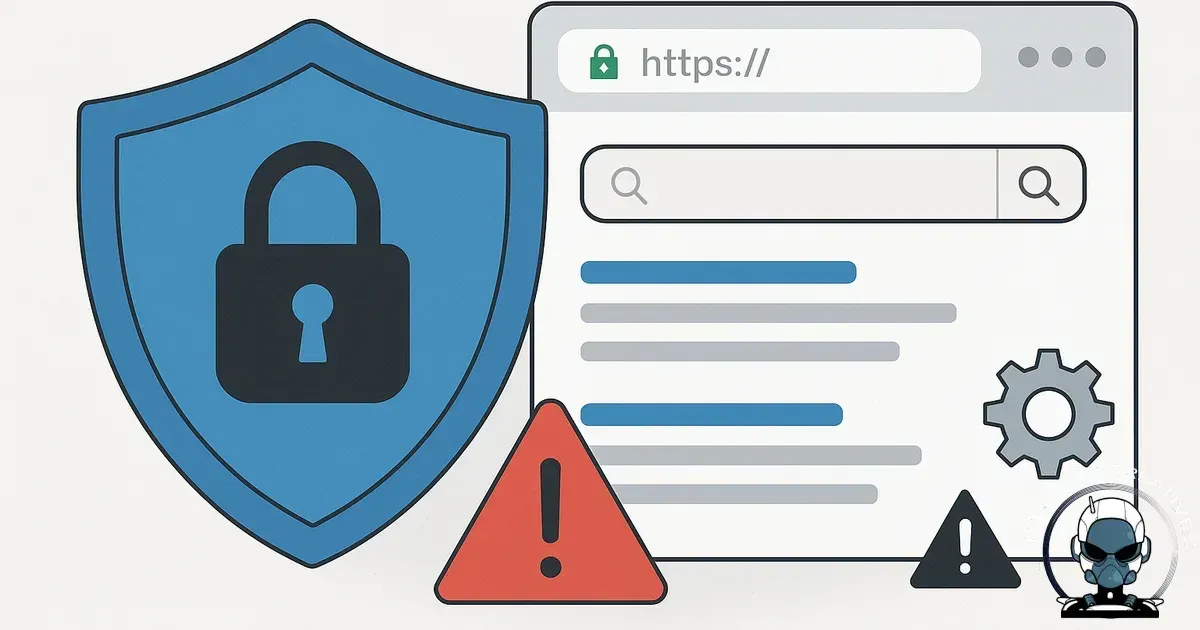
Security and SEO are more connected than you think because Google’s job is to send people to safe, reliable results, and your job is to keep your site trustworthy, fast and available.
Google rewards safe experiences, not just good content
User Experience Signals: The Overlooked Security SEO Nexus
User experience (UX) signals have become a critical factor in algorithmic alignment, with platforms like Google Search Central emphasizing metrics such as Core Web Vitals and mobile usability. Security directly impacts these UX signals, slow load times caused by DDoS attacks or malware infections degrade site performance, which Google Analytics 4 and Lighthouse report in detail. Furthermore, browser security warnings from Google Chrome or Mozilla Firefox immediately deter users, increasing bounce rates and reducing engagement metrics that search algorithms monitor.
Integrating security tools like Cloudflare CDN and Wordfence firewall not only shields your infrastructure from threats but also sustains optimal load speeds and uptime, preserving positive UX signals. Additionally, ensuring ARIA compliance and accessibility standards through W3C guidelines helps maintain a seamless experience for all users, reinforcing technical integrity. This dual focus on security and UX creates a robust foundation for discoverability by AI search engines, which increasingly prioritise safe, reliable, and user-friendly digital experiences.
Most business owners think of SEO as keywords, pages and backlinks. Google also measures risk. If a site is compromised, slow, unavailable, or triggers browser warnings, it creates a bad user experience and a liability for Google. The result is usually a mix of ranking suppression, reduced crawling, de-indexing of infected URLs, and lost conversions while you scramble to fix it.
Clearing Up Common Misconceptions About Security and SEO
SEO and security are interconnected
Small business owners often perceive SEO and website security as separate domains, SEO is about keywords and backlinks, while security is purely technical. This division overlooks the reality that platforms like Google Search Central explicitly incorporate security signals into their algorithmic alignment. For instance, security incidents flagged by Google Safe Browsing not only trigger warnings on browsers like Chrome and Firefox but also reduce site discoverability in search results.
HTTPS alone is not enough
Another misconception is that installing HTTPS alone is sufficient for securing SEO. While HTTPS via a valid SSL/TLS certificate from providers like Let's Encrypt or DigiCert establishes a baseline, it doesn’t guarantee technical integrity. Common pitfalls include leaving mixed content from HTTP sources or failing to update JSON-LD schema markup to reflect secure URLs, which can confuse AI search engines and reduce citation confidence.
Specific Security Measures That Directly Enhance SEO Discoverability
Enhancing site integrity and performance
Implementing robust security protocols goes beyond compliance, it actively reinforces your site’s technical integrity and AI search alignment. Tools like Cloudflare's Web Application Firewall (WAF) not only block malicious traffic but also improve site performance by reducing load times, which Google’s Core Web Vitals algorithm rewards in discoverability metrics. Integrating HTTP Strict Transport Security (HSTS) policies through your hosting provider, such as Kinsta or WP Engine, ensures browsers only interact with your secure HTTPS site, eliminating mixed content issues that confuse schema.org markup and JSON-LD citation signals.
Importance of regular vulnerability assessments
Regular vulnerability assessments using platforms like Sucuri or Wordfence are critical. These tools detect malware and patch plugin exploits before search engines, including Google Search Central’s Safe Browsing system, flag your site as compromised. Additionally, leveraging Google Analytics 4 alongside security monitoring provides data integrity by correlating traffic anomalies with potential security breaches, allowing rapid incident response that preserves your site’s discoverability.
Practical security maintenance steps
Actionable steps include updating all WordPress plugins and themes promptly, enforcing multi-factor authentication (MFA) via services like Authy or Google Authenticator for CMS logins, and routinely auditing SSL/TLS certificates through DigiCert’s management tools. These measures collectively ensure your site remains a trusted, reliable resource, aligning security infrastructure with SEO objectives to maintain and enhance organic visibility.
Impact of security plugins on SEO
Furthermore, many assume that security plugins on WordPress, such as Wordfence or iThemes Security, are just add-ons without SEO impact. In fact, plugin vulnerabilities can introduce malware or slow down site speed, directly affecting site availability and Core Web Vitals metrics measured by Google Lighthouse. This degradation harms overall discoverability and user trust, which are key pillars of technical growth infrastructure.
Consequences of Neglecting Security on SEO Performance
Impact of security warnings on user trust
Neglecting website security has measurable impacts on SEO discoverability and overall digital infrastructure. When platforms such as Google Safe Browsing flag your site for malware or phishing, browsers like Google Chrome and Mozilla Firefox display warnings that deter visitors immediately. This user trust erosion translates into increased bounce rates, which Google Analytics 4 and Matomo can track as negative signals affecting algorithmic alignment.
SEO penalties and crawl budget reduction
Moreover, Google Search Central documentation details specific SEO penalties associated with security breaches. These include reduced crawl budgets, where Google's crawlers limit the frequency of indexing your site, and partial or complete de-indexing of infected URLs. Tools like Google Search Console provide alerts on these issues, enabling webmasters to act swiftly. The aftermath of a breach often involves removal from key citations on platforms like Bing Webmaster Tools and Baidu Webmaster Tools, further diminishing multi engine discoverability.
Case studies on vulnerability impact
Case studies from organisations such as the Australian Competition and Consumer Commission (ACCC) highlight that prolonged exposure to security vulnerabilities can cause persistent traffic declines, which recovery through HTTPS or SSL providers like DigiCert alone cannot fix. It requires comprehensive remediation involving security suites like Wordfence for WordPress or Sucuri for broader CMS protections. Thus, integrating security infrastructure with SEO strategy is not just best practice but essential to future proofing your digital presence against both human threats and algorithmic penalties.
Industry examples of security incidents
Real World Security Breaches and Their Direct Impact on SEO Discoverability
Notable security breaches illustrate the critical intersection between technical integrity and discoverability. Take the 2017 Equifax data breach, which not only compromised sensitive user data but led to Google temporarily suppressing Equifax’s search visibility due to detected malware and phishing risks. Similarly, the 2020 Magecart attacks exploited vulnerabilities in third-party payment scripts on British Airways' website, triggering browser warnings from Chrome and Firefox and causing a measurable drop in organic traffic as users aborted transactions. These incidents highlight how security lapses translate directly into reduced citations and lower algorithmic alignment.
Tools like Google Search Console and Cloudflare’s security analytics provide actionable insights into security incidents affecting SEO signals. Integrating robust firewalls such as Wordfence or Sucuri can prevent script injections and maintain site availability, which Google Analytics 4 metrics confirm as essential for positive user engagement. Moreover, the Australian Competition & Consumer Commission (ACCC) has emphasized that compromised websites degrade consumer trust, compounding the SEO penalties associated with downtime and crawl budget reduction.
Understanding these cases underlines the importance of continuous monitoring with platforms like Datadog or New Relic to detect anomalies before they escalate. This proactive infrastructure approach ensures that your digital foundation resists attacks, preserves user trust, and maintains optimal discoverability in AI-driven search environments.
Concrete examples from industry leaders like Mozilla and Shopify demonstrate how security incidents can directly erode discoverability. Mozilla's 2019 incident, where a cross-site scripting vulnerability was exploited, resulted in temporary blacklisting by Google Safe Browsing, severely limiting organic traffic and citation signals. Similarly, Shopify merchants faced indexing issues during a 2021 malware outbreak that compromised storefronts, triggering Google Search Central warnings and a pronounced drop in visibility.
Continuous monitoring importance
These cases underscore the importance of integrating tools such as Wordfence for WordPress or Sucuri for broader CMS environments to maintain technical integrity. Continuous monitoring with platforms like Google Search Console and security analytics via Datadog allows rapid identification of trust breaches before algorithmic alignment deteriorates. The technical takeaway is clear: a robust security infrastructure, combined with proactive incident response, prevents cascading effects on discoverability and preserves the foundational citations critical for AI driven search algorithms.
Common SEO damage scenarios from malware
When malware or injected spam lands on a site, SEO damage often shows up before the owner notices. A few common scenarios we see in small business websites:
- Injected pages: Thousands of junk URLs appear (often pharmaceuticals, gambling or fake brand pages). Google starts crawling and indexing them, wasting crawl budget and polluting your brand in search results.
- Hidden links: Spam links injected into your footer or page templates. Your authority leaks to dodgy domains and your topical relevance gets muddied.
- Malicious redirects: Mobile users get redirected to scam sites. Google can flag your site as deceptive, and users stop trusting you immediately.
- Browser and Search Console warnings: “This site may
Downtime and slowdowns: rankings don’t like unreliable websites
Google needs to crawl your site regularly. If your server is down, timing out, or returning errors, Google can reduce crawl frequency and treat the site as less reliable. You might not notice with a short outage, but repeated problems stack up.
- Short outage (minutes to an hour): Usually minimal ranking impact, but you still lose leads and sales during the outage.
- Long outage (hours to days): Pages can drop from results, especially for time-sensitive or competitive searches.
- Repeated instability: Googlebot learns that your site is “expensive” to crawl. That can slow indexing of new pages and updates.
- Security-driven downtime: A hacked site often gets taken offline for cleanup. If there’s no plan, the downtime drags and the recovery takes longer.
Uptime is not glamorous, but it’s part of SEO infrastructure. If you’re building a long-term SEO asset, reliability is a ranking enabler. This is the same thinking we outline in SEO Is Not a Tactic. It’s Infrastructure for Small Businesses.
Plugin vulnerabilities: the quiet SEO killer on WordPress sites
For many small businesses, WordPress runs the site, and plugins run the risk. Most compromises we see are not Hollywood style “hacks”. They’re automated bots exploiting known vulnerabilities in outdated plugins, themes, or server software.
Why plugins become a security and SEO problem
- Attack surface grows: Every extra plugin adds code, permissions and potential flaws.
- Update lag is common: Business owners avoid updates for fear of breaking the site. Unfortunately, attackers rely on that delay.
- Abandoned plugins: If a plugin stops being maintained, vulnerabilities remain open permanently.
- Performance drag: Heavy plugins slow the site, which hurts user experience and can limit SEO gains.
Practical plugin hygiene that protects rankings
- Delete anything you’re not using. Deactivated plugins can still be exploited in some cases.
- Choose reputable plugins with active development, clear changelogs and strong review history.
- Set a monthly maintenance window to update core, theme and plugins, then do a quick functional check (forms, checkout, key pages).
- Avoid stacking multiple plugins that do the same job (especially page builders, security plugins, and caching plugins).
Essential Security Tools for Small Businesses to Safeguard SEO
Building a secure digital foundation requires selecting the right tools that uphold technical integrity and enhance algorithmic alignment. Small businesses can leverage platforms like Wordfence and Sucuri to monitor and protect WordPress sites against malware and brute force attacks. These tools provide real-time firewall protection and automated malware scanning, reducing the risk of compromised pages that can damage your discoverability.
Complementing firewall solutions, Google Search Console offers invaluable insights by alerting site owners to manual actions and security issues detected by Googlebot. Integrating Cloudflare’s content delivery network not only improves site speed, a Core Web Vitals metric but also defends against distributed denial of service (DDoS) attacks that can cause downtime and hinder crawling. For analytics, Google Analytics 4 helps track unusual traffic patterns that might indicate security breaches impacting user engagement signals.
On the backend, maintaining plugin hygiene with tools like ManageWP or InfiniteWP enables automated updates and backups, ensuring vulnerabilities are patched promptly. Email marketing platforms such as ActiveCampaign incorporate built in security features to protect customer data, which indirectly supports your website’s trustworthiness in the eyes of search algorithms. These combined resources create a resilient infrastructure that bridges business intent with machine discoverability, forming the technical backbone necessary for sustainable SEO performance.
You don’t need enterprise security tooling to protect a small business site, but you do need consistency.
- SSL/TLS done properly: Force HTTPS, set 301 redirects from HTTP, and update canonical tags and sitemap URLs.
- Backups you can restore: Daily automated backups stored off-server. Test a restore at least once a quarter.
- Access control: Strong unique passwords, MFA on admin accounts, and remove old staff accounts immediately.
- Patch management: Keep WordPress/core dependencies updated. If your site can’t be updated safely, that’s a structural problem worth fixing.
- Monitoring: Uptime monitoring plus alerts for unexpected file changes and login attempts. You want to know within minutes, not weeks.
- Harden the basics: Limit admin URLs, lock down file permissions, disable XML-RPC if not needed, and use a web application firewall (WAF) where appropriate.
- Search Console set up: Make sure Google Search Console is verified so you’ll see security warnings and manual actions quickly.
If you suspect malware: what to do first
- Don’t start deleting random files: You can destroy evidence and miss the real backdoor.
- Take the site offline only if necessary: If customers are being harmed (redirects, fake pages, card skimming), pause the site while you clean it.
- Restore from a clean backup: Only if you’re confident the backup predates the compromise.
- Patch the entry point: Update or replace the vulnerable plugin/theme, rotate passwords, and check user accounts for suspicious admins.
- Request a review: If Google flags the site, follow Search Console’s process once you’ve fully remediated.
If your website has grown messy over time, security becomes harder and SEO becomes fragile. Solid structure and ownership of the build makes ongoing maintenance safer and faster, which is why we wrote Why We Only Maintain the Websites We Build.
The practical takeaway for small businesses
SEO isn’t just content and links. It’s also trust, uptime, and keeping control of your own platform. A secure site gets crawled consistently, converts more visitors, and avoids the painful recovery cycle that follows breaches and downtime.
Sources & Further Reading
- Google Search Central: Secure your site with HTTPS
- Australian Cyber Security Centre: Website Security
- Moz: How Website Security Affects SEO Rankings
- HubSpot: Why HTTPS is Important for SEO and Website Security
- Google Search Central Blog: Protect your site from hacked content
- Australian Government: Small Business Cyber Security Guide

Protect the Infrastructure You Rely On
Security, performance, and search stability depend on controlled environments. Our builds are designed with long-term protection and optimisation in mind.
Discuss Your ProjectComments
No comments yet. Be the first to join the conversation!

Leave a Comment
Your email address will not be published. Required fields are marked *