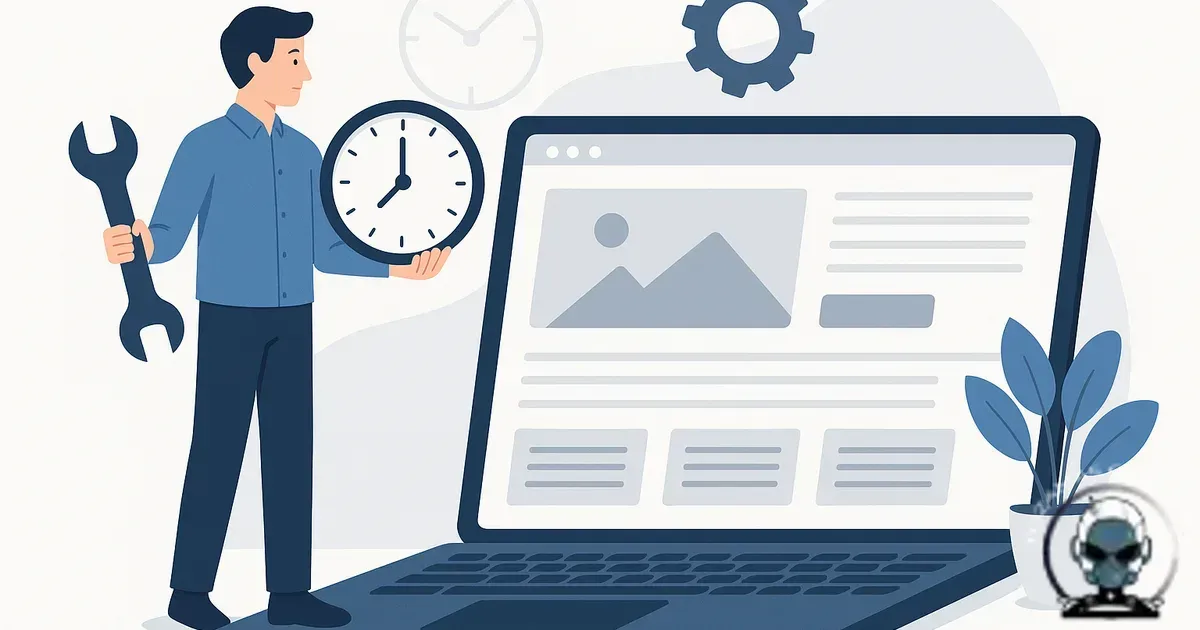
Maintenance frequency is a risk decision, not a calendar decision
How often should a business website be maintained? Protect your technical integrity by maintaining your site often enough that nothing important drifts between checks, because drift is what turns small faults into downtime at the worst possible time. Understanding How often should a business website be maintained matters for any business serious about their online presence.
Most small business sites don’t fail with a single dramatic bang. They slowly degrade. A plugin update introduces a conflict, a DNS record quietly expires, a form integration stops working after an API change, or a CDN setting gets reset during a platform update. If you only look when something feels off, you’re not maintaining the site, you’re doing incident response.
Build a maintenance cadence around three realities: how often your stack changes, how expensive an outage is, and how long a problem could sit there before anyone notices. That’s the infrastructure lens. It’s less about a checklist and more about keeping your foundation stable while everything around it keeps moving.
The real maintenance cycle is “change → verify → observe”
Reduce surprises by treating maintenance as a loop: change, then verify, then observe. Change is obvious: CMS core updates, plugin/theme releases, server patches, content edits, tag manager changes, new landing pages, new scripts, new tracking. Verification is where most businesses stumble because it’s tedious, manual, and easy to postpone. Observation is what stops you being the last person to learn your checkout has been broken since yesterday.
Keep discoverability and citations stable by aligning your site with how machines actually assess it. Crawlability, indexation signals, performance, uptime, and security posture all feed into discoverability now. If your site is intermittently slow, intermittently erroring, or intermittently compromised, you don’t just lose leads, you lose algorithmic alignment and the citations that follow.
What “often enough” looks like in practice
For most small business sites, a minimum viable schedule is a blend of continuous monitoring, weekly checks, monthly servicing, and quarterly deeper work. The moment you add ecommerce, memberships, bookings, paid traffic, or high volume lead gen, the cadence tightens. Not because anyone’s being fussy, but because the blast radius of a failure is simply bigger.
Continuous (always on): monitoring and alerting
Cut downtime by monitoring the basics: uptime, SSL expiry, baseline performance, and critical user journeys. Without that, you’re guessing. Continuous monitoring is the difference between “we fixed it in 12 minutes” and “we lost the weekend because nobody noticed”.
At a minimum, you want alerts for uptime and certificate status, plus synthetic checks for the actions tied to revenue. For a service business, that might be “form submit reaches inbox/CRM”. For ecommerce, it’s “add to cart and reach checkout”. This layer catches irregular updates and third party failures, not just server outages.
Weekly: update, test, and review the noise
Keep small cracks from turning into structural issues by doing weekly maintenance: apply safe updates, then confirm nothing critical has regressed. If your site runs WordPress or another plugin heavy CMS, weekly is a sensible baseline because extension ecosystems change constantly, and vulnerabilities are disclosed just as often.
Use the weekly rhythm to review the alert noise as well. A spike in 404s, a new crawl error pattern, an unusual load increase, or repeated login attempts might not be an emergency, but it is a signal. Ignore signals long enough and you eventually get an incident.
If you need a grounded view of what tools are actually useful for this layer, Best Website Security Tools for Business Websites (and what they’re actually good at) breaks down where each category helps and where it doesn’t.
Security is part of maintenance, not a separate project
If your cadence doesn’t include security posture checks, you’re leaving gaps in the foundation that monitoring might detect too late. Patch discipline, credential hygiene, backups you can actually restore, and hardening are maintenance tasks because they protect uptime, discoverability, and citations by preserving technical integrity under real-world pressure. For a practical set of steps that won’t break your tags, tracking, or CRM flows, we cover it in How to Secure a Business Website from Hackers (Without Breaking Your Marketing Stack).
Security checks aren’t optional once you’re monitoring
Continuous monitoring should also include security signals, because a compromised site rarely announces itself nicely. You’ll often see quiet redirects, mystery admin users, unexplained slowdowns, or sudden crawl and indexation anomalies that break discoverability and erode citations long before a customer complains. If you want a fast triage list that protects technical integrity, we cover the most reliable indicators in Signs Your Website Has Been Compromised: What to Check Before Customers Notice.
Monthly: backups you can restore, performance checks, and dependency hygiene
Reduce recovery risk by doing the work that’s easy to delay because the site “seems fine”. Backups are the obvious one, but “having backups” is not the same as “having restorable backups”. We’ve seen plenty of sites with daily backups that still couldn’t be restored cleanly due to corrupted archives, missing uploads, or a database that didn’t match the codebase.
Keep performance and technical integrity from quietly sliding by doing monthly performance checks and dependency hygiene. Themes, plugins, libraries, tracking scripts, and marketing widgets accumulate. The site gets heavier, the main thread gets busier, and suddenly mobile feels sluggish. That hits conversions directly, and it chips away at discoverability through weaker user signals and poorer crawl efficiency. If you’re building a broader foundation around how pages connect and how machines interpret them, the published post Designing a Website Ecosystem (Not Just Pages): Infrastructure for Discoverability is the right mental model.
Quarterly: deeper security posture, technical debt, and disaster rehearsal
Prevent forced rebuilds by paying down technical debt quarterly, before it becomes a rewrite. Review user permissions, remove abandoned plugins, check server and PHP versions, validate WAF rules, and look at logs with a human brain, not just dashboards. This is also where you run a proper disaster rehearsal. Restore a backup into staging. Confirm you can redeploy. Confirm DNS and email are documented. Confirm you can rotate credentials without breaking production.
This is the part most businesses skip, then regret when a host migration goes sideways or a compromise forces an urgent rebuild. If you’re deciding between internal effort and an external care plan, Managed Website Security vs DIY Protection: What Actually Holds Up Under Pressure is a realistic look at what fails under stress.
When “weekly” is not enough
Limit revenue leakage by tightening the cadence for sites with low tolerance for failure. High ad spend, high lead volume, ecommerce, and appointment-based businesses often need near-daily attention, even if you’re not applying updates daily. If a form breaks for six hours on a quiet Tuesday, it’s annoying. If it breaks during a campaign launch, it’s expensive. Maintenance frequency should mirror business cadence.
Reduce compliance and trust exposure by shortening your patch window when you handle customer data, take payments, or run accounts. Vulnerability disclosures don’t wait for your next monthly check in. The longer you leave known issues unpatched, the more you’re relying on luck as a security control. Luck is not infrastructure.
What maintenance actually includes (the parts that prevent surprises)
Avoid downtime surprises by recognising that “maintenance” isn’t just updates and backups. That’s the visible layer. The work that actually prevents surprises is verification and observability.
Verification protects revenue by checking the flows that matter: forms, checkout, booking, phone links on mobile, email deliverability, tracking events, and CRM handoffs. It also includes the unglamorous stuff like mixed content warnings, redirects, canonical behaviour, and sitemap integrity after changes. One small misconfiguration can quietly damage discoverability for weeks.
Observability protects response time by making basic operational questions easy to answer. Is the site up? Is it fast where it matters? Are bots hammering wp-login.php? Did the server start throwing 500s? Did a plugin update increase memory usage? Without this, you only find out when customers complain, and by then the damage is already done.
Why irregular updates are worse than late updates
Reduce change risk by keeping updates regular. Irregular updates create unpredictable states. You end up applying a big batch of changes at once, which increases the chance of conflicts and makes it harder to isolate what caused the issue. It’s the same reason engineers prefer smaller deployments: smaller changes are easier to test, easier to roll back, and easier to recover from.
Improve technical integrity over time by keeping your foundation close to a known good state. That makes every future change safer, including marketing changes like new landing pages, new tracking pixels, or funnel adjustments. If you’re running growth activity on top of a shaky base, you’re paying to send traffic into uncertainty.
A maintenance cadence that supports growth infrastructure
Get predictable outcomes by treating care plans as ongoing infrastructure, not a subscription for “updates”. The goal is stable technical integrity, predictable change management, and fewer surprises. That’s what keeps your site available, measurable, and aligned with how search and AI systems assess reliability and relevance.
Avoid the expensive kind of “later” by moving away from “we’ll fix it when it breaks”. That approach eventually delivers the worst bill, not a maintenance invoice, but the cost of lost leads, lost campaign momentum, and a rushed recovery.
Sources & Further Reading

Need a maintenance cadence you can trust?
We build and manage care plans that keep your site stable, monitored, and ready for growth.
Get in TouchComments
No comments yet. Be the first to join the conversation!


Leave a Comment
Your email address will not be published. Required fields are marked *