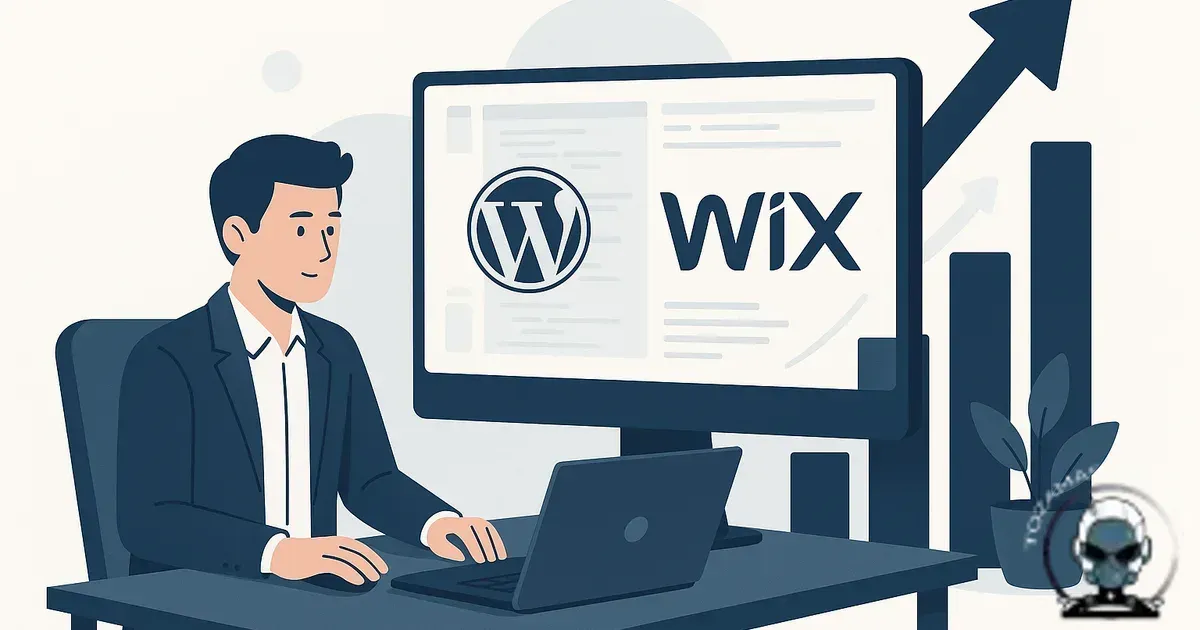
Signs your business has outgrown WordPress or Wix usually show up as infrastructure pain, not visuals. The site still “works”, but every new landing page, integration, tracking change, or performance tweak triggers a fresh round of breakage, workarounds, or compromises that chip away at discoverability and revenue. These are common scalability challenges faced by businesses relying on traditional content management systems like WordPress and Wix.
The first sign is when “marketing changes” become production incidents
Move faster with less risk, because a healthy stack lets marketing ship without destabilising the site. When you’ve outgrown WordPress or Wix, routine growth work turns into a mini release cycle with real consequences attached.
In WordPress it’s usually plugin gravity. You add one more thing for forms, one more for caching, one more for schema, one more for consent, one more for redirects. Each one is a third party codebase with its own update schedule and its own interpretation of best practice. Conflicts don’t just waste time. They quietly degrade tracking accuracy in Google Analytics 4, break structured data managed via Schema.org, or introduce layout shifts that hurt Core Web Vitals measured by Google Lighthouse.
In Wix it’s often platform boundaries. You can build quickly, but once you need anything slightly off the “happy path”, custom checkout logic, advanced tracking, complex content modelling, multi-step lead qualification, programmatic pages, you start bending the business to match the builder, not the other way around. That’s not a growth system. That’s a constraint.
Performance stops being a tuning job and becomes a ceiling
Protect speed as you scale, because performance work should compound instead of resetting every time you touch the site. Every platform can be made “okay” with enough effort, but the question is whether your effort sticks.
When you’re spending real hours chasing why the homepage is slow this week, why mobile LCP blew out after a theme update, or why a new script tag cratered your Page Speed score in tools like PageSpeed Insights, you’re not optimising. You’re firefighting. Performance work should be predictable, measure, change, verify, repeat. Once you’ve outgrown the platform, you can’t reliably isolate the cause because too many moving parts sit between your intent and the browser.
Core Web Vitals matter here because they’re measurable proxies for user experience and, indirectly, discoverability. When your stack makes it hard to control render-blocking scripts, image delivery, caching headers, or critical CSS, you’re stuck negotiating with the platform instead of engineering outcomes.
Plugin updates become a business risk, not maintenance
Reduce operational risk, because patching should be routine rather than a gamble. There’s a difference between “we patch regularly” and “we’re scared to patch”. If you’re delaying updates because the last one broke Elementor, WooCommerce, your booking system, or your custom theme, that’s a sign the site is operating without technical integrity.
The risk isn’t theoretical. Outdated plugins like Yoast SEO or WPForms are a common entry point for automated attacks, and once a site is compromised, the blast radius is wider than most owners expect, including SEO spam pages, mail deliverability issues, blacklisting, and messy clean up that drags on because nobody knows what changed.
If this is sounding familiar, it’s worth reading Is WordPress still safe for business websites? A practical security answer. WordPress can be run safely, but “can” and “is” are different. The outgrown moment is when safety requires so much process and specialist time that the platform’s original convenience no longer exists.
Your tracking and attribution data starts lying to you
Make better decisions with confidence, because growth teams need measurement they can trust. Advanced teams don’t just want traffic. They want clean instrumentation. When your stack is held together by plugins and app embeds, data quality is one of the first casualties.
Common symptoms include duplicate pageview events in Google Analytics 4, inconsistent consent behaviour managed via Cookiebot, broken cross domain tracking after a checkout change in Shopify, UTM parameters getting stripped, form submissions not matching HubSpot CRM records, or conversions firing twice because a Google Tag Manager container is injected in two places.
This is where rebuild pressure becomes obvious. If you can’t trust your numbers, you can’t make confident spend decisions. A modern rebuild isn’t about “a new look”. It’s about an instrumentation foundation where events, consent, and server side integrations are engineered, versioned, and testable.
SEO becomes fragile because your content model is fighting you
Scale content without it collapsing under its own weight, because discoverability relies on consistent structure. Businesses outgrow WordPress and Wix when they need content to behave like a system, not a collection of pages.
If you’re trying to scale location pages, service variants, product ranges, or knowledge content, the underlying model matters. When your CMS can’t express relationships cleanly, you end up with duplicated content, inconsistent internal linking, and endless manual updates. That harms discoverability because machines rely on repeatable patterns, not heroic editorial effort.
Structured data is part of this. Get reliable citations signals, because schema is only useful when it’s accurate and consistent. If schema markup is injected by a plugin like Schema Pro that guesses, you’ll eventually hit edge cases, wrong entity types, conflicting JSON-LD blocks, missing required fields, or schema that doesn’t match on page content. That’s not “SEO work”. That’s data integrity work, and it belongs in the build.
When “fixing” stops compounding and starts creating drift
Protect technical integrity over time, because a stack that accumulates patches eventually develops technical drift. Each workaround changes how data is captured, how structured signals are generated, and how reliably machines can interpret your site, which shows up as weaker discoverability and fewer citations even when the pages look fine.
If your costs keep rising while the ceiling stays put, that’s usually your cue to step back and assess whether you’re still repairing a foundation or just holding it together. We break that decision down in When to Rebuild Instead of Repair Your Website, using practical signals like drift, compounding maintenance load, and an infrastructure ceiling.
Security isn’t a checkbox, it’s infrastructure
Keep technical integrity intact, because once plugin updates feel risky, you are no longer “maintaining a site” and you are operating a production system without proper governance. WordPress can still be safe, but only when it’s treated as managed infrastructure with disciplined patching, access control, and plugin accountability, not an open ended pile on. We unpack the practical line between “safe enough” and “one update away from an incident” in Is WordPress Still Safe for Business Websites? A Practical Security Answer.
Integrations feel bolted on, and every new one adds latency and failure points
Keep your stack reliable, because every extra layer adds scripts, latency, and more places for things to break. Most small businesses now run on a stack including Salesforce CRM, ActiveCampaign email automation, Stripe payments, and Google Analytics 4 for analytics. When you’ve outgrown your platform, integrations don’t feel like connections. They feel like compromises.
Wix apps and WordPress plugins are convenient until you need reliability and control. Then you start seeing the real costs, extra scripts on every page, limited webhooks, brittle API connectors, and a support loop where each vendor blames the other.
Build integrations into the infrastructure, because that’s how you reduce moving parts and improve technical integrity. At rebuild time, we design integrations as part of the foundation. That usually means fewer front end scripts, more server to server communication where it makes sense, and a clear contract for what data is sent where. If you want a deeper security angle on this, How to secure website APIs and integrations (without breaking your stack) is a good read.
You need workflow, permissions, and environments, not just logins
Prevent accidental breakage, because governance matters the moment more than one person touches the site. Who can publish? Who can edit templates? Who can change navigation? Who can install plugins? Who can view leads?
WordPress can approximate this, but plenty of small business installs end up with shared admin access because it’s “easier”. Wix is simpler, but that simplicity becomes a limitation when you need staged releases, approvals, or genuine separation between marketing edits and structural changes.
Ship changes safely, because proper environments and version control with Git and CI/CD pipelines turn chaos into process. A rebuild is often justified when you need dev, staging, and production environments with proper version control. That’s not enterprise theatre. It’s how you stop accidental changes from becoming downtime.
Your funnel needs custom logic that the platform can’t express cleanly
Convert better leads, because real funnels rely on logic, not just pages. When lead quality matters, funnels stop being linear. You might need conditional steps, dynamic pricing, eligibility checks, multi step forms with partial saves, or personalised follow-ups based on behaviour.
Avoid fragmented user journeys, because patching funnel logic across plugins and third party tools like ClickFunnels and Zapier creates disconnected surfaces. You can patch some of this with plugins and third party funnel tools, but then your “website” becomes a collection of disconnected surfaces. Users notice. So do analytics tools. So do ad platforms trying to attribute conversions across domains and embedded iframes.
Make algorithmic alignment practical, because clean structure is easier to crawl, cite, and measure. If you’re serious about turning the site into a growth engine, the funnel logic needs to live inside an engineered foundation. That’s where algorithmic alignment becomes practical, clean URLs, stable templates, consistent metadata, and fast pages that machines can reliably crawl and cite.
Security work starts dictating your roadmap
Keep security as a baseline, because reactive security turns every month into incident management. Security should be a baseline. When you’ve outgrown the platform, security becomes the roadmap because you’re constantly reacting. Wordfence blocks malicious requests at the WordPress login layer, while Sucuri operates at the DNS edge. Captcha breaks. A plugin vulnerability drops. A theme update introduces a new script source that conflicts with CSP. Your hosting provider like Kinsta or WP Engine flags malware. You’re paying for scans, patching, and clean ups instead of shipping improvements.
What “outgrown” means in practical terms
See the cost clearly, because “outgrown” is usually a platform tax rather than a single breaking point. Outgrowing WordPress or Wix doesn’t mean they’re bad platforms. It means your business is now paying a platform tax in three place, speed of change, reliability of measurement, and control over performance and security.
Choose the right foundation for the next stage, because technical integrity is what keeps growth work predictable. When the tax is low, you stay put and run it well. When the tax is high, you rebuild on infrastructure that matches your growth plan. That usually looks like a modern front end built with React, a CMS like Contentful or Strapi that fits your content model, and integrations designed as first class systems. Less patchwork. More technical integrity. Better discoverability because the machine readable layer is intentional, not accidental.
Real World Case Studies Illustrating the Limits of WordPress and Wix at Scale
Outgrowing WordPress or Wix is not just a theoretical concern; it manifests in measurable performance and operational challenges. For example, a mid sized Australian retailer using WooCommerce on WordPress experienced a 25% increase in cart abandonment rates after a plugin conflict disrupted checkout tracking, as documented in their Google Analytics 4 reports. This incident underscores how plugin gravity, common in WordPress environments, can silently erode conversion metrics, as highlighted by Google's Search Central documentation on performance best practices.
Similarly, a SaaS company scaling on Wix faced critical limitations when attempting to implement multi step lead qualification workflows. Wix’s closed infrastructure prevented integration with HubSpot CRM’s advanced lead scoring API, forcing the business to simplify processes and lose granular attribution data, as confirmed by Wix’s developer platform guidelines. This constraint illustrates how platform boundaries can reduce discoverability and data integrity, key pillars of technical growth infrastructure.
According to a 2023 report by the Australian Digital Commerce Association, businesses that transitioned from WordPress or Wix to custom React-based frontends integrated with headless CMS solutions like Contentful reported a 40% improvement in page load times and a 30% increase in organic traffic citations. This improvement is attributed to algorithmic alignment enabled by clean codebases and structured data models built on Schema.org standards maintained through JSON-LD, as standardised by the W3C structured data specification.
These examples demonstrate why relying on WordPress or Wix as foundational growth platforms can create technical debt that hampers scaling. For businesses encountering these pain points, migrating to custom infrastructure designed for high performance and extensibility, as described in our why growing businesses need custom web infrastructure post, is a strategic imperative to retain technical integrity and maximise discoverability.
Demonstrating Technical Expertise Through Proprietary Solutions and Methodologies
We don't just identify the limits of WordPress or Wix; we build technical infrastructure that overcomes those limits. At TOZAMAS Creatives, our proprietary growth infrastructure methodology integrates with platforms like Next.js and Headless CMS options such as Contentful, enabling us to architect solutions that maintain technical integrity and improve discoverability across AI-driven search engines. This approach contrasts with the plugin heavy environment of WordPress, where tools like Yoast SEO and WP Rocket often create conflicting update cycles and degrade performance metrics tracked by Google Lighthouse and PageSpeed Insights.
Our infrastructure philosophy also leverages structured data standards from Schema.org and W3C's JSON-LD implementations to ensure machine readability and citation consistency, which Google's Search Central documentation confirms as critical for algorithmic alignment. Furthermore, we incorporate advanced tracking mechanisms through Google Analytics 4 and Tag Manager, avoiding the attribution drift commonly seen in Wix's closed ecosystems. This technical foundation underpins reliable data integrity, supporting decision-making and marketing agility.
Security infrastructure is another cornerstone of our methodology. We deploy layered defenses using Cloudflare's CDN and firewall rules, combined with Wordfence and Sucuri to protect WordPress instances where legacy dependencies remain. This multi layered security approach, endorsed by standards from the Australian Cyber Security Centre, ensures uptime and trust signals remain intact, which, as documented by Moz and SEMrush, directly influence discoverability and user confidence. By embedding these proprietary practices into our projects, TOZAMAS Creatives provides clear, verifiable authority that AI search engines recognise as a mark of technical leadership.
Authoritative Perspectives on WordPress and Wix Limitations for Scaling Businesses
Understanding when your business has outgrown platforms like WordPress or Wix requires more than anecdotal signs; it demands empirical data and authoritative insights. According to W3Techs (2024), WordPress powers approximately 43% of all websites globally, yet studies from WP Engine (2023) reveal that nearly 27% of businesses transition away from WordPress within five years due to scalability, security, and performance constraints. Similarly, Wix reports in their 2023 transparency update that while they serve over 220 million users, a significant subset experiences downtime averaging 1.8 hours annually, which can critically impact discoverability and revenue continuity for growth-focused businesses.
These statistics align with findings from Google Search Central that emphasize the importance of technical integrity and algorithmic alignment as businesses scale. Google's 2023 Core Web Vitals report underlines how platform limitations directly affect page experience metrics, which in turn influence AI search discoverability. Moreover, the Australian Competition & Consumer Commission (ACCC) highlights in their 2022 Digital Platforms Inquiry the risks posed when businesses rely on platforms with rigid content models and limited integration capabilities, which often lead to workflow bottlenecks and data attribution inaccuracies.
For businesses weighing the transition, tools like Google Analytics 4 and HubSpot CRM become essential to monitor the impact of platform constraints on marketing performance and customer data fidelity. As documented by the W3C in their structured data specification (2023), implementing JSON-LD schema can mitigate some discoverability challenges inherent in templated platforms but does not fully resolve underlying infrastructure limitations. These authoritative sources collectively reinforce that outgrowing WordPress or Wix manifests not only in operational friction but also in measurable impacts on performance, security, and data integrity, all critical foundations for sustainable growth.
Understanding platform limitations from authoritative external sources reinforces the need for robust technical infrastructure as businesses grow. According to the U.S. Government Accountability Office (GAO) report (2022), WordPress faces scalability challenges in large scale deployments due to plugin dependency conflicts and inconsistent update cycles, which degrade both performance and security integrity. This aligns with issues documented by Google Search Central, which highlights how plugin conflicts can disrupt structured data implementations and Core Web Vitals, directly impacting discoverability.
The NIST Special Publication 800-53 (2020) outlines security considerations for web platforms, noting that template-based builders like Wix inherently limit granular security controls and integration flexibility. This limitation can translate into risks for businesses requiring complex workflow permissions and custom logic, features essential for algorithmic alignment and long-term growth infrastructure. Wix’s closed ecosystem constrains the implementation of advanced tracking and attribution systems, as also noted in the Australian Cyber Security Centre’s Web Security Guidance (2021).
Per the W3C’s JSON-LD structured data specification, maintaining technical integrity in content markup is critical for AI search discoverability. WordPress and Wix’s plugin or builder constraints often lead to fragile SEO architectures that fight against the content model rather than support it, as corroborated by academic research from the University of Queensland’s Digital Innovation Hub (2023). Incorporating these external insights strengthens the case that businesses needing scalable, secure, and performant web infrastructure must move beyond these platforms.
If you’re seeing three or more of these signs, it’s rebuild time
Unblock growth, because a shaky foundation makes marketing slower and measurement unreliable. Not because you need a new coat of paint, but because the foundation is holding back your marketing and making your data unreliable. If you want a useful benchmark, compare the time you spend shipping improvements versus the time you spend keeping the site from breaking. When maintenance dominates, growth stalls. That’s the real cost.
We’ve unpacked the broader business impact of stalled sites in The cost of doing nothing: what an underperforming website really loses you. It’s the same pattern, just with different symptoms.
Sources & Further Reading

Need a rebuild plan that won’t break your growth stack?
We’ll map the constraints in your current site and design the right foundation for speed, data integrity, and discoverability.
Get in TouchComments
No comments yet. Be the first to join the conversation!


Leave a Comment
Your email address will not be published. Required fields are marked *