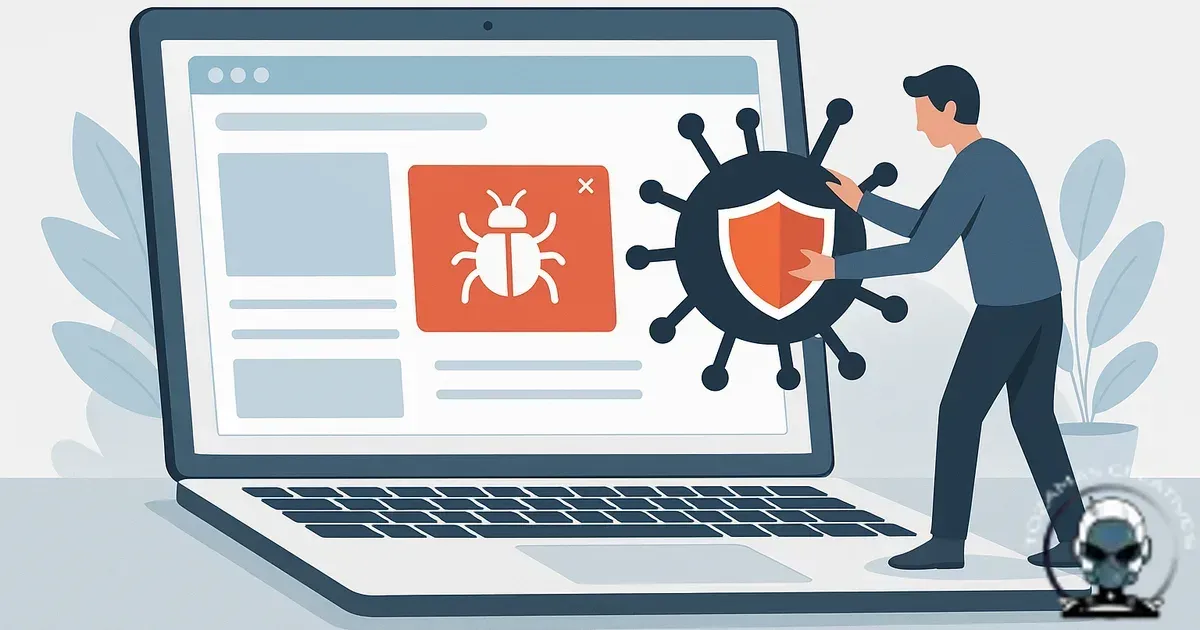
Malware removal is an infrastructure job, not a clean up job
Malware removal on a business website comes down to one outcome: restore Technical Integrity and remove the conditions that let the compromise persist. Understanding How to remove malware from a business website matters for any business serious about their online presence. Most business sites we see weren’t “hit once”. They’ve been quietly compromised for weeks, sometimes months, because the persistence mechanism survived the first pass.
You get a short lived win when you only delete the obvious infected files. The site comes back, Google stops warning users, everyone exhales, then the redirect spam returns or the hosting account starts sending email blasts. That’s not bad luck. That’s incomplete remediation.
Step one is containment, not scanning
Containment protects revenue and users, because it stops active harm while you work out what actually happened. It also preserves evidence, because you can’t trace an entry point if you’ve already trampled the logs and overwritten files.
In practice, that means putting the site into a controlled state. If you can, take the application offline behind a maintenance page at the edge (CDN/WAF), so you’re not editing live while customers are still being served cached malware. If you can’t go fully offline, block obvious attack traffic and lock down admin access. Then rotate credentials that can be used for persistence: hosting control panel, SFTP/SSH, database users, CMS admins, and any API keys stored in environment files.
Assume the attacker has more than one foothold, because they usually do. If the website shares hosting with other sites, treat the whole account as suspect. Cross site reinfection is common when one compromised WordPress install can write into another directory because permissions were set for convenience instead of containment.
Get a clean reference point (or you’re guessing)
A clean baseline stops whack a mole, because it gives you an objective definition of “known good” for your stack.
For CMS sites, that baseline is usually the vendor’s original core files plus your theme and plugin versions from a trusted source. For custom apps, it’s your git repo at a known commit, plus your deployment artefacts. If you don’t have source control and you’re relying on “whatever is on the server”, you’re already in a weaker position because the server is the crime scene.
Backups help, but only if you can prove they pre-date the compromise. Restoring a backup that already contains the backdoor is how businesses end up paying for the same incident twice. If you’re unsure how to triage in the first hour, keep it practical and follow this emergency first response guide before you start deleting anything.
Identify the compromise path, not just the payload
The payload is what you can see: injected JavaScript, pharma spam pages, admin users you didn’t create, weird cron jobs, outbound email. The compromise path is how it got there: a vulnerable plugin, exposed credentials, insecure file permissions, an outdated library in a custom app, a compromised developer machine, or a poisoned CI/CD pipeline.
Find the compromise path and you prevent recurrence, because you’re removing the entry point rather than chasing symptoms.
Common persistence patterns we see in business sites include:
- Backdoors hidden in “must use” plugin directories or similarly trusted paths that don’t get updated often.
- Malicious PHP dropped into writable upload folders, then executed via direct access or an include vulnerability.
- Database-level injections that reinsert malware into templates or options tables after you clean files.
- Scheduled tasks (cron, wp-cron, queue workers) that re-download payloads from remote domains.
- Compromised admin accounts with legitimate looking names, created weeks before the visible damage.
Clearing the warning is a trust rebuild, not a checkbox
Once the malware is removed, the next job is rebuilding Discoverability and citations without reintroducing risk, because search engines remember compromise patterns long after the payload is gone. If you rush the “all clear” without proving Technical Integrity through clean logs, verified file baselines, and hardened infrastructure, you can end up stuck in a warning loop even when the site looks normal. We break down the practical sequence for that phase in Website Blacklisted by Google? Recovery Steps That Actually Clear the Warning, including what actually moves the needle when you need trust restored.
Restoration is also a discoverability job
Once the payload is gone and the compromise path is closed, the next risk is self-inflicted damage during restoration. If URLs change, redirects are sloppy, or status codes drift, you break the signals that support Discoverability and citations, even if the malware is fully removed. We cover the restoration mechanics in How to Restore a Website Without Losing SEO, because preserving URL behaviour, internal linking, and redirect logic is part of rebuilding infrastructure with Technical Integrity.
Do a surgical file and database diff, then rebuild from trusted artefacts
Diffing and reconstruction beats “scanner says clean”, because attackers deliberately design malware to evade popular signatures. Scanners are still useful, but they’re not the decision maker.
For CMS platforms, replace core files entirely from a trusted source rather than trying to clean them in place. Then reinstall plugins and themes from official repositories or vendor packages, not from the server. For custom apps, redeploy from source control and rebuild dependencies from lockfiles, then validate checksums where possible. You feel the strength of your Infrastructure here. If your deployment process can’t rebuild a clean environment quickly, downtime gets longer and risk goes up.
Database work needs the same discipline. Search for common injection points, but don’t stop at obvious strings like base64_decode or eval. Look for anomalous admin users, modified content with hidden iframes, and options/settings entries that contain long encoded blobs. If the attacker used the database as the persistence layer, you can clean files all day and the site will still reinfect itself the moment a template renders.
Fix the conditions that allowed reinfection
Reinfection is usually operational, not sophisticated. The site gets cleaned, but the same vulnerable plugin stays installed. File permissions stay wide open. The host account still has an old FTP user with a reused password. The WAF is switched off because it “broke something” once and nobody came back to tune the rules.
At minimum, close the loop on:
- Patching: Update the CMS core, plugins, themes, server packages, and any custom libraries. If something can’t be patched, it gets removed or isolated.
- Credentials: Rotate everything, enforce MFA where available, and remove stale users. If you’re still using FTP, move to SFTP/SSH with key-based access.
- Permissions: Reduce write access. Upload directories shouldn’t be executable. Config files shouldn’t be writable by the web user.
- Entry points: Lock down admin routes, rate-limit login endpoints, and disable unused services.
- Environment separation: Don’t develop on production. Don’t store secrets in public repos. Don’t share hosting accounts across unrelated sites.
If your platform makes these controls hard to enforce, that’s a signal your business has outgrown the current setup. Sometimes removal plus hardening costs more than rebuilding on better foundations. If you’re weighing that call, when to rebuild instead of repair your website is the decision framework we use internally.
Restore safely: staged release, cache purge, and verification
A staged restore reduces risk, because you’re validating each layer before you open the doors fully. Once you’ve rebuilt from trusted artefacts and closed the compromise path, bring the site back in a controlled way. Purge CDN caches and any server-side caches so you’re not serving infected assets from yesterday. Then verify with multiple signals: server logs, WAF logs, file integrity monitoring, and external checks.
Also check the business impact layer. Malware incidents often leave secondary damage like broken checkout flows, altered DNS records, or email deliverability issues from spam sent via the server. If customers couldn’t trust the site for a day, your conversion pathway took a hit. The fix isn’t just “site is back”. It’s restoring the full path from discovery to transaction, which we cover in Conversion Pathways: how to turn traffic into customers.
Post incident hardening that actually sticks
Hardening stops repeat incidents, because it turns a one-off event into permanent Foundation improvements.
Set up file integrity monitoring, centralised logging, and alerting that tells you when something changes that shouldn’t. Put a WAF in front with rules tuned to your application, not a generic “set and forget” profile. Implement least privilege access across hosting, CMS, and third party tools. If you have a dev team, lock down the pipeline so deployments are reproducible and secrets aren’t sitting in plain text.
From an Algorithmic Alignment angle, this also matters for discoverability and citations. Search engines and browsers increasingly treat compromised sites as unsafe destinations. Even after you clean, you can carry trust drag if warnings were triggered, pages were injected, or spam URLs were indexed. Technical Integrity isn’t just security hygiene. It’s part of how your brand stays findable by machines and credible to humans.
What “done” looks like
A clean close out is boring in the best way, because stability is the signal. No unexplained cron jobs. No new admin users. No outbound traffic spikes. No file changes outside deployments. Backups that restore clean. Monitoring that would wake you up if anything shifts.
If you’re dealing with hidden malware, repeated reinfection, or downtime that’s costing real money, the fastest path is usually a structured remediation runbook and a hardened rebuild. That’s the difference between a website that’s merely online and a website Foundation you can rely on.
Sources & Further Reading

Need help removing malware without reinfection?
We can clean, rebuild, and harden your site so it stays stable and trustworthy.
Get in TouchComments
No comments yet. Be the first to join the conversation!


Leave a Comment
Your email address will not be published. Required fields are marked *