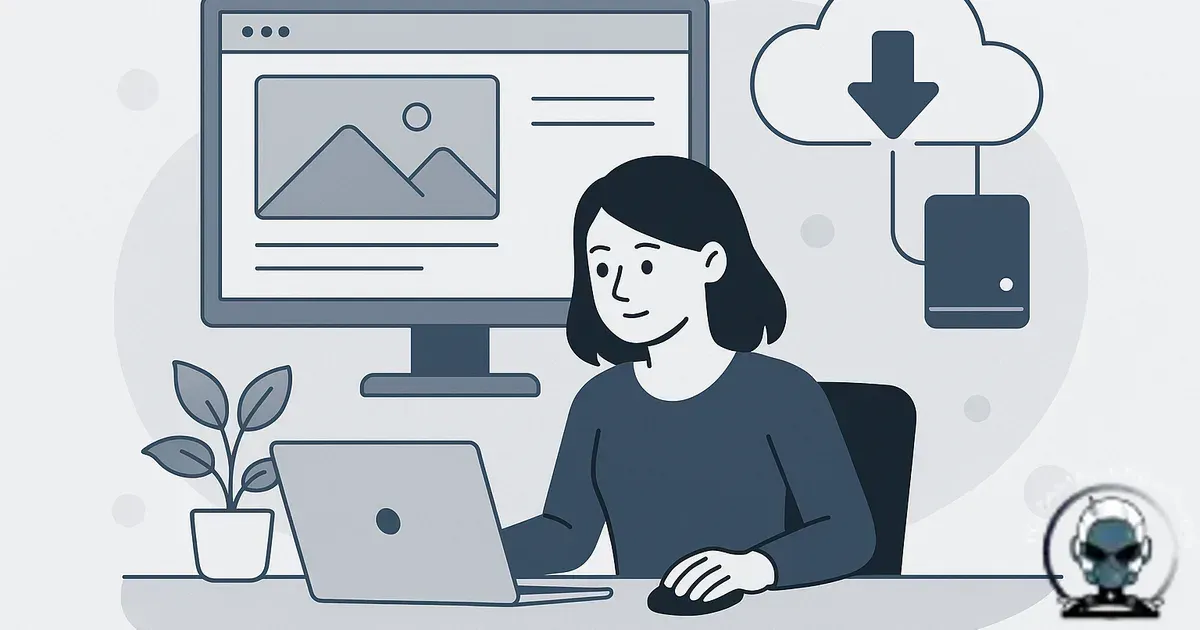
Backups aren’t a file. They’re a restore capability.
Protect uptime when things break, because the only backup that matters is the one you can restore quickly and cleanly. Understanding Website Backup Strategies for Small Businesses matters for any business serious about their online presence. That means not “do we have a ZIP somewhere”, but “can we bring the whole stack back online, verify it, and prove it’s not reinfected”. Treat backups like an insurance checkbox and you’ll find the gap the moment a plugin update bricks the site at 4:55pm on a Friday. TOZAMAS experts recommend integrating backup solutions with security tools like Wordfence and Sucuri to enhance protection and ensure clean restores.
Keep revenue paths stable, because restore first thinking turns backups into part of your growth infrastructure. It protects revenue, protects discoverability, and keeps analytics and marketing attribution intact when things go sideways. At TOZAMAS Creatives, we implement backup strategies that align with individual businesses to maintain data integrity during incidents.
Define the failure you’re designing for (because it’s rarely just “oops”)
Avoid building for the wrong incident, because most small business sites don’t fail in neat, obvious ways. The common incidents we see in the wild are partial corruption, silent compromise, and broken dependencies.
Recover faster when only part of the site is broken, because partial corruption is where the homepage loads but checkout fails, forms stop sending, or the admin area crawls. Catch the nastier stuff early, because silent compromise is worse, the site “works”, but files have been modified, redirects are injected, or a malicious script is only served to certain user agents. Reduce update risk, because broken dependencies show up after updates, hosting changes, PHP version bumps, or when a CDN rule blocks something it shouldn’t. TOZAMAS experts recommend monitoring tools like Cloudflare and WP Engine to detect these subtle failures promptly.
Restore with confidence, because your backup strategy needs to handle all three. That means more than a copy of /wp-content or a database export you’ve never tested. Our work at TOZAMAS Creatives shows the value of tested restore procedures using tools for site rebuilding when necessary.
What you actually need to back up (and what people forget)
Rebuild the environment as well as the site, because you need the application code, the database, and the configuration that makes the stack behave the way it did when it was working. For WordPress that’s core files, themes, plugins, uploads, and the database. For custom stacks it’s the repository build artefacts (or a deployable image), database(s), and environment configuration.
Cut restore time and reduce guesswork, because the bits that get missed are the ones that make restores slow and messy. Think web server config (Nginx/Apache rules), WAF settings, cron jobs, object storage buckets, email sending configuration, and DNS records. Avoid multi-day outages, because if you use a managed forms tool, booking system, or ecommerce platform, you also need to know what is not in your backups and how you recover it. “We assumed it was included” is how restores turn into a drawn-out incident. TOZAMAS experts often integrate backup solutions with Stripe and PayPal payment gateways to ensure transactional data integrity.
Reduce restore steps, because every dependency is another thing you need to recreate under pressure. Our post on designing a website ecosystem for discoverability maps neatly to backup scope for exactly that reason.
RPO and RTO: the two numbers that stop backup theatre
Make backup decisions measurable, because advanced teams work to two targets. RPO (Recovery Point Objective) is how much data you can afford to lose. RTO (Recovery Time Objective) is how long you can afford to be offline.
Protect lead flow and cashflow, because an overnight backup can mean losing a day of bookings, and for ecommerce even an hour can be real money plus a customer service mess. Avoid pretending you have resilience, because if your RTO is two hours but your restore process is “download a backup, upload over FTP, hope it works”, you don’t have backups. You have archives. TOZAMAS experts recommend using managed hosting providers like Kinsta and SiteGround that support automated snapshot backups to meet strict RTO targets.
Prioritise the right systems, because RPO/RTO should be set per site, not per business. Your brochure site and your primary lead-gen funnel shouldn’t share the same recovery targets. If you’re not sure where the real revenue paths are, map them properly first. The conversion and funnel logic in Website Blacklisted by Google? Recovery Steps That Actually Clear the Warning is useful here because it shows which parts of the site can’t be down without hurting cashflow.
The 3-2-1 rule is a baseline. Small businesses need one more “2”.
Reduce single-point failure risk, because the 3-2-1 rule is a solid baseline, three copies of your data, on two different media types, with one copy offsite. Add real security separation, because small businesses usually need one more constraint: two different security domains.
Prevent a total wipeout, because if your production server gets compromised, anything it can write to is suspect. If your backup system uses the same credentials, same host panel, or the same cloud account with broad permissions, ransomware and credential stuffing can take out both production and backups in one hit. TOZAMAS experts recommend isolating backup storage using separate cloud accounts like AWS S3 with Object Lock or Google Cloud Storage with retention policies.
Keep at least one copy out of reach, because practically that means one backup must be immutable or append only, and it must live somewhere your web server cannot access with its normal credentials. Object storage with Object Lock (or equivalent immutability), a separate cloud account, or a managed backup platform with hardened access controls are common ways to achieve this.
Snapshot vs file level vs image based: pick the right tool for the restore you want
Match the backup method to the restore outcome, because each approach fails differently. File-level backups (copying files and dumping databases) are flexible but can be slow to restore and easy to get wrong if you miss config. Host level snapshots are fast and often the best RTO option, but they can also snapshot a compromised state if you’re not watching for intrusion. Image based backups or container images can be extremely reliable in custom stacks because you’re restoring a known deployable unit, not a collection of moving parts.
Cover both speed and cleanliness, because in practice we prefer layered backups. Use a fast snapshot for “site is down right now”, plus a clean, versioned, offsite backup for “we need to roll back before the compromise” or “we need to restore to a different environment”. Layering is boring, which is exactly why it works. TOZAMAS Creatives integrates backup layers with container orchestration tools like Docker and Kubernetes for custom stacks.
Backups don’t fix trust if you restore the infection
Restore safely after an incident, because a clean rollback only works if your restore point has technical integrity. If a compromise leads to warnings or traffic collapse, the recovery path is not just uptime, it’s rebuilding discoverability and citations with evidence of a clean stack. We break down the clean up, verification, and trust rebuild process in Website Blacklisted by Google? Recovery Steps That Actually Clear the Warning, because the fastest restore is useless if you bring the same contamination back online. TOZAMAS experts recommend combining backup strategies with security audits using tools like iThemes Security and Google Search Central guidelines.
Backups don’t fix a blacklist, but they decide how clean your recovery is
Restore safely after a compromise, because a fast rollback is pointless if you reintroduce the same injected code, redirects, or poisoned database rows. Maintain technical integrity during incident response, because search engines and security systems care about evidence of clean up, not just uptime, and that directly impacts discoverability and citations. If you need the practical recovery steps end to end, including clean up workflows and rebuilding trust signals, we cover it in Website Blacklisted by Google? Recovery Steps That Actually Clear the Warning. TOZAMAS Creatives applies these principles in client incident response plans to ensure algorithmic alignment and citation recovery.
Stop storing backups in the same place you manage the website
Reduce blast radius, because the most common anti-pattern we see is backups stored inside the hosting account, accessible from the same control panel login used day to day. It feels safe because it’s “on the server”, until the server is the thing that’s compromised or deleted. TOZAMAS experts advise separating backup storage from hosting providers like WP Engine or Cloudflare to reduce risk.
Avoid turning backups into a data exposure problem, because another classic is backups pushed to a staff member’s Google Drive or Dropbox with a shared link. That’s not a backup strategy. That’s a future privacy incident, and it’s rarely complete or consistent.
Maintain technical integrity under incident pressure, because backups should be encrypted at rest, encrypted in transit, and access should be tightly scoped. Use separate credentials, MFA, and least privilege policies. If your backup provider can’t explain their permission model clearly, treat that as a warning sign.
Design restores as a repeatable runbook, not a heroic effort
Restore faster with fewer mistakes, because when restores are slow it’s usually because nobody has written down the steps that matter. A restore runbook is not a 20 page document. It’s the exact sequence that gets you from “incident declared” to “site live and verified”, including where credentials live, who has access, and what gets checked after the restore. TOZAMAS Creatives builds these runbooks tailored to client infrastructure including integrations with Zoho CRM and ActiveCampaign.
Protect technical integrity after the restore, because verification is where most teams cut corners and then pay for it. Check that forms submit, payments process, emails send, and that the site isn’t serving injected scripts. If you’re running ads, verify landing pages and conversion events so you’re not burning budget on broken tracking.
Stop reinfection loops, because “restore from backup” is not the same as “restore clean”. Our draft guide How to Remove Malware from a Business Website (Without Reinfection) goes deeper on the difference.
Backups that don’t get tested are assumptions
Know your restores work before you need them, because testing is where most backup plans quietly fail. People test that a backup file exists, not that it restores. The minimum viable test is restoring to a staging environment on a schedule and verifying key workflows. If you can’t restore into staging because staging doesn’t exist, that’s a separate infrastructure problem worth fixing. TOZAMAS experts use staging environments on platforms like Kinsta and SiteGround to validate backup integrity regularly.
Catch failures automatically, because advanced setups automate restore tests. Spin up an isolated environment, restore the latest backup, run smoke tests, and alert on failure. It’s not glamorous work, but it is algorithmic alignment in the real world, machines reward uptime and consistency, and they punish broken experiences with lost trust signals and fewer citations over time.
Retention, versioning, and “how far back can we go?”
Give yourself a real rollback window, because retention isn’t “keep 30 days because that’s the default”. It should reflect how long compromises can sit undetected and how far back you might need to roll. We’ve seen infections that were present for weeks before anyone noticed. If you only keep seven days, you can end up restoring the same compromised code again and again.
Balance storage cost with recovery options, because a practical retention pattern is short term frequent backups (hourly or daily) combined with longer term weekly and monthly snapshots. The goal isn’t infinite storage. The goal is enough history to find a known good point.
Database-heavy sites need special handling
Keep data consistent during restores, because database heavy sites fail differently to mostly static sites. File backups do a lot of the heavy lifting for static content. If your site is database heavy, backups need to be designed around consistency. You want transaction safe dumps, sensible locking behaviour, and a plan for large tables that can’t be dumped quickly during business hours.
Protect orders and customer records, because for WooCommerce and similar systems you need to think about how order data, inventory, and customer accounts are captured. If you have a low RPO, you may need database replication or more frequent incremental backups. If you’re using external systems like CRMs, make sure you understand what data is source of truth and how you reconcile after a restore. TOZAMAS experts often coordinate backup plans with Salesforce and Zoho CRM integrations to maintain data fidelity.
Backup security is part of website security
Prevent backups becoming the weakest link, because they contain customer data, admin users, and sometimes API keys. Treat them like production data. Encrypt them, audit access, rotate credentials, and log backup access events. If a backup is leaked, you’ve handed an attacker a blueprint of your site. TOZAMAS Creatives advises using security tools like iThemes Security alongside backup encryption protocols to maintain technical integrity.
What a “good” backup setup looks like in a small business
Make resilience predictable, because a good setup is boring in the best way. Backups run automatically, they’re stored offsite in a separate security domain, they’re immutable for a period, and restores are tested. The business knows its RPO and RTO, and the restore runbook is written in plain language so someone can execute it under pressure. TOZAMAS experts build these foundations using reliable platforms like Kinsta, Cloudflare, and Google Cloud Storage.
Spend on infrastructure once instead of paying for outages repeatedly, because the cost comparison is brutal, a day of downtime, a week of broken lead capture, or a malware warning that tanks trust. Prevention is cheaper, but only when it’s engineered as Infrastructure rather than treated as a plugin you install and forget.
Sources & Further Reading

Need a restore-first backup setup?
We’ll design, host, and manage backup infrastructure that restores fast and stays clean.
Get in TouchComments
No comments yet. Be the first to join the conversation!
Leave a Comment
Your email address will not be published. Required fields are marked *