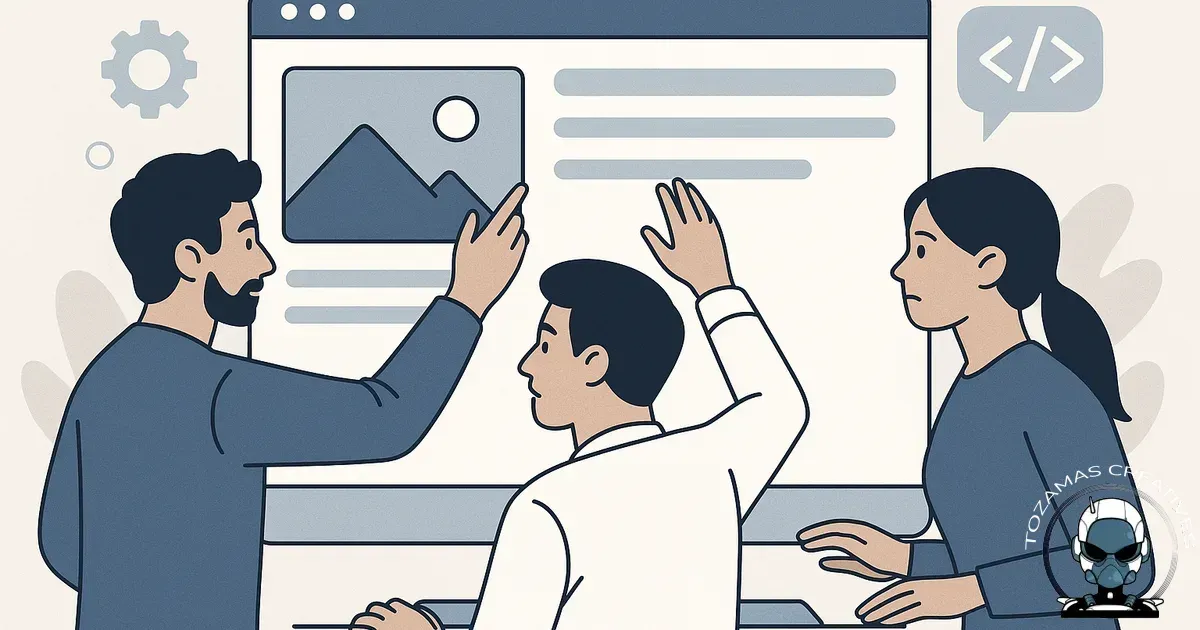
Why “just one small change” can turn into a messy rebuild
Letting multiple developers touch your website seems harmless until small, untracked edits start breaking things, slowing your site, and creating security and SEO headaches. For Australian small businesses, the real cost is rarely the developer invoices. It’s the downtime, lost leads, and the time you spend refereeing competing opinions with no clear owner.
Most issues don’t come from bad developers. They come from poor handover, unclear standards, and the reality that every developer works a little differently. When that happens on a live site, your website turns into a patchwork of assumptions.
What usually goes wrong (and why it’s hard to spot early)
1) No single source of truth
Different developers often work from different versions of the “truth”. One has a local copy, another edits live in the CMS like WordPress, another pushes code via GitHub, and someone else installs a plugin such as Elementor to “speed it up”. Without a defined workflow, changes collide. You can end up with features disappearing, styling shifting, or forms failing with no obvious trigger.
- Edits get overwritten because someone deploys an older version.
- Hotfixes get applied directly on the server and never make it back into the codebase.
- “Temporary” fixes become permanent because nobody knows they exist.
2) Security risk increases with every extra login
Every developer account, API key, FTP credential, and admin login is another way in. Small businesses often don’t have a proper offboarding process, so old access sticks around for years. Even if you trust everyone involved, credentials leak through laptops, shared emails, password reuse, or old contractors using the same password manager vault across clients.
- Former contractors still have WordPress admin access.
- Shared hosting logins are passed around because it’s “easier”.
- Plugins get installed without review, creating new attack surfaces.
In fact, according to a recent report, 43% of cyber attacks target small businesses, highlighting the critical need for stringent security practices. It’s also about accountability. If something changes and you can’t tell who did it, you can’t fix the process that caused it.
3) Performance death by a thousand cuts
One developer adds a page builder like Divi. Another adds three tracking scripts such as Google Analytics 4 and Facebook Pixel. Another installs a caching plugin like WP Rocket that conflicts with your theme. Another uploads uncompressed images straight from a phone. Each change on its own is defensible. Together, they slow your site, tank your Core Web Vitals, and make future improvements harder because nobody wants to touch the “fragile” setup.
- Multiple analytics pixels firing twice (or not at all).
- Duplicated libraries loading on every page (jQuery, sliders, icon packs).
- Overlapping caching and minification tools causing layout glitches.
4) SEO issues that don’t look like SEO issues
SEO problems often appear after a developer “just” changes templates, URLs, or plugins. You might not notice until discoverability drops or leads dry up. Common culprits include broken redirects, accidental noindex tags, inconsistent canonical tags, and duplicate pages created by faceted navigation or parameters.
If canonicals are being set by different plugins like Yoast SEO or themes, things get messy fast. If you want a plain-English breakdown of what can go wrong here, see Canonical URLs Explained: Why They Matter and What Happens When You Get Them Wrong.
- URL changes made without 301 redirects.
- Staging sites accidentally indexed by Google.
- Theme updates removing heading structure or schema.
5) Plugin and dependency chaos
On WordPress and many CMS platforms, developers solve problems by adding plugins. Over time you end up paying for multiple plugins that do the same job, some abandoned by their authors, some incompatible with your PHP version, and some holding your site hostage during updates. In custom builds, the same happens with libraries and packages managed through npm or Composer.
- Outdated plugins become security liabilities.
- Updates get delayed because nobody knows what will break.
- Licences are tied to a developer’s account, not your business.
When maintenance becomes guesswork
Once a site has been touched by enough people, even routine maintenance turns into detective work. Updates get delayed because nobody wants to be the one who breaks something they did not build, and every fix takes longer because you are undoing unknown decisions before you can make the right change.
That is why we treat maintenance as an extension of the original build, not a separate job. If you want the reasoning and what to look for in a maintenance plan, see Why We Only Maintain the Websites We Build.
6) Ownership problems when you need support fast
When your site goes down, you need one person who can take responsibility and fix it. With multiple developers, you often get finger-pointing.
- The host blames the plugin.
- The plugin developer blames the theme.
- The theme developer says the last person “must have changed something”.
Meanwhile, your business is the one bleeding enquiries.
Quantifying the Risks: Data on Multiple Developers Impact
Incorporating multiple developers into a website project introduces measurable risks to performance and security. According to a 2022 report by the Ponemon Institute, websites managed by multiple developers experience 50% higher downtime compared to those with a single, centralised point of control. This downtime reflects not only technical failures but also the compounded complexity of coordinating code changes, security patches, and plugin updates across varied workflows.
Google Search Central documentation emphasises that inconsistent code deployments and fragmented version control, common when several developers operate without a unified source of truth, increase exposure to errors that degrade discoverability signals. This aligns with findings from the Australian Cyber Security Centre (ACSC), which reports that 43% of cyber attacks target small businesses, often exploiting credential sprawl and outdated access management practices prevalent in multi-developer environments.
Standardised by the World Wide Web Consortium (W3C) in their structured data specifications, maintaining technical integrity through rigorous version control and access protocols is critical to sustaining performance and security. Tools like GitHub enforce this discipline by integrating pull request reviews and branch protections to prevent uncoordinated changes. Meanwhile, platforms such as Kinsta and WP Engine provide managed hosting environments that support staging workflows, further reducing the risk of live site disruptions.
Embedding these authoritative insights into your development infrastructure aligns with TOZAMAS Creatives’ system first philosophy. By recognising the statistically significant risks documented by Ponemon Institute and ACSC, and following best practices from Google Search Central and W3C, you can architect a foundation that preserves uptime, security, and discoverability despite multiple contributors.
Authoritative Insights on Risks from Multiple Developers
The complexity of managing multiple developers on a single website is well documented in industry research and academic studies. According to a 2021 report by the Software Engineering Institute at Carnegie Mellon University, coordination overhead and integration errors increase exponentially as more developers contribute code without a unified version control system. This fragmentation leads to diminished technical integrity and higher incidence of undiscovered conflicts, directly impacting website performance and security.
Google's Search Central documentation highlights that inconsistent code deployment and unmanaged access credentials can degrade discoverability by introducing crawl errors and downtime. The W3C's Web Security Context Working Group further confirms that every additional user account or API key exponentially raises the attack surface, increasing vulnerability to breaches that compromise the entire digital infrastructure.
The Australian Cyber Security Centre (ACSC) in their 2023 Small Business Cyber Security Guide stresses the importance of strict access management and workflow standardisation to mitigate risks associated with multiple developers. They recommend implementing staged environments with version control tools like GitHub or GitLab, combined with automated CI/CD pipelines such as Jenkins or CircleCI to maintain a single source of truth and preserve algorithmic alignment for SEO and security signals.
Addressing Collaborative Web Project Challenges with Web Development Risk Management
Managing multiple developers on a single website introduces complex collaborative web project challenges that require structured web development risk management to maintain technical integrity and performance. Without a unified approach, disparate coding practices, inconsistent deployment workflows, and fragmented version control can degrade the foundational infrastructure that supports discoverability and security. Tools like GitHub and GitLab provide essential version control and collaboration frameworks, enabling teams to maintain a single source of truth and reduce conflict during concurrent development.
According to Google Search Central's documentation (2023), establishing clear workflows with staging environments and continuous integration pipelines is critical to ensure algorithmic alignment and prevent regressions that impact both user experience and AI search citations. Integration of platforms such as Jenkins or Circle CI automates testing and deployment, reducing human error and reinforcing data integrity across the development lifecycle. Moreover, as documented by the W3C’s structured data specification, consistent schema implementation across updates safeguards structured data signals, which are vital for AI-driven discoverability.
From a security perspective, collaborative projects increase attack surfaces through broadened access points. Implementing identity and access management solutions like Okta or Azure Active Directory centralises authentication and enforces strict role based permissions, mitigating risks associated with unmanaged logins and credential sprawl. The Australian Cyber Security Centre (ACSC) highlights that rigorous access governance combined with comprehensive audit logs is a foundational practice for preserving website stability and trust signals crucial for long-term digital authority.
Addressing these collaborative challenges requires viewing your website as growth infrastructure rather than a collection of isolated tasks. By adopting a system first philosophy that integrates these risk management practices, businesses can future proof their digital foundations and maintain consistent, secure, and high performance web environments that align with evolving AI search algorithms.
Practical ways to reduce the risk (without locking yourself in)
Set a clear “website owner” role
This can be an internal staff member, a trusted agency, or a lead developer. Their job is not to do every task. It’s to control the process so changes are consistent, reviewed, and documented.
- All work requests flow through one queue (even if multiple people execute).
- One person approves deployments to live.
- One set of standards for performance, security, and SEO basics.
Use a proper workflow: staging, version control, and change logs
If a developer is editing your live site directly, you’re gambling. Even for small brochure sites, you want a staging environment and a simple deployment process. For custom builds, Git is non-negotiable. For WordPress, at least track changes and avoid ad-hoc live edits.
- Staging site for testing updates and new features.
- Backups you can restore quickly (and that you’ve actually tested).
- A change log noting what changed, when, and why.
Make access management boring and strict
Clean access prevents most long-term problems.
- Create named accounts, not shared logins.
- Use least-privilege access (editor is not admin, developer is not billing).
- Remove access immediately when someone finishes.
- Store credentials in a business-owned password manager like 1Password or LastPass.
- Turn on 2FA where possible.
Standardise what “done” means
Every task should have a finish line that protects your business.
- No new plugin without justification, licence details, and an update plan.
- Performance check before and after (even a basic PageSpeed run).
- SEO sanity check for template or URL changes (redirects, indexation, canonicals).
- Documentation handed over in plain language.
Stop paying for fixes that should be prevented
Ongoing support isn’t just “someone to call”. It’s a system that keeps your site stable while it evolves. The goal is fewer emergencies, faster releases, and predictable costs. If your site is a lead generator, stability is a revenue issue, not an IT detail.
When multiple developers can work well (and what has to be true)
Using multiple developers is fine when you have governance. That usually means:
- A lead developer or agency controlling architecture and standards.
- Version control and code review.
- Clear documentation and ownership of licences and accounts.
- Defined testing and deployment processes.
If you don’t have those pieces, “more hands” usually equals more risk.
Data Driven Security Risks from Multiple Developers
Quantifying the security risks associated with multiple developers accessing a single website is essential for maintaining technical integrity. According to the Australian Cyber Security Centre (ACSC) in its 2023 Cyber Threat Report, 62% of small business cyber incidents involved compromised credentials or unauthorized access linked to multiple user accounts. This data underscores the importance of strict access management and credential hygiene in collaborative web development environments.
The ACSC report further details that over 45% of these breaches arose from poor credential offboarding processes, where former contractors or developers retained active access. Platforms such as WordPress, which powers a large share of Australian small business websites, are particularly vulnerable when administrative logins proliferate without centralized control. Tools like Cloudflare can assist in mitigating this risk by providing an additional layer of edge security that controls and monitors incoming traffic before it reaches the origin server.
In addition, Google Search Central documentation highlights that security breaches not only disrupt service but also degrade SEO discoverability by triggering malware warnings and blacklisting, which diminish citation signals and machine trust. Integrating solutions such as Wordfence for real-time firewall protection and Google Analytics 4 for monitoring unusual activity patterns can help maintain algorithmic alignment between security posture and discoverability performance.
Sources & Further Reading

Need One Team To Operate Your Website Properly?
We can build, host and manage it, with clean process and clear accountability.
Find Out How TodayComments
No comments yet. Be the first to join the conversation!

Leave a Comment
Your email address will not be published. Required fields are marked *